Stamppa vs Adobe Acrobat
An Acrobat alternative built for drawing sets.
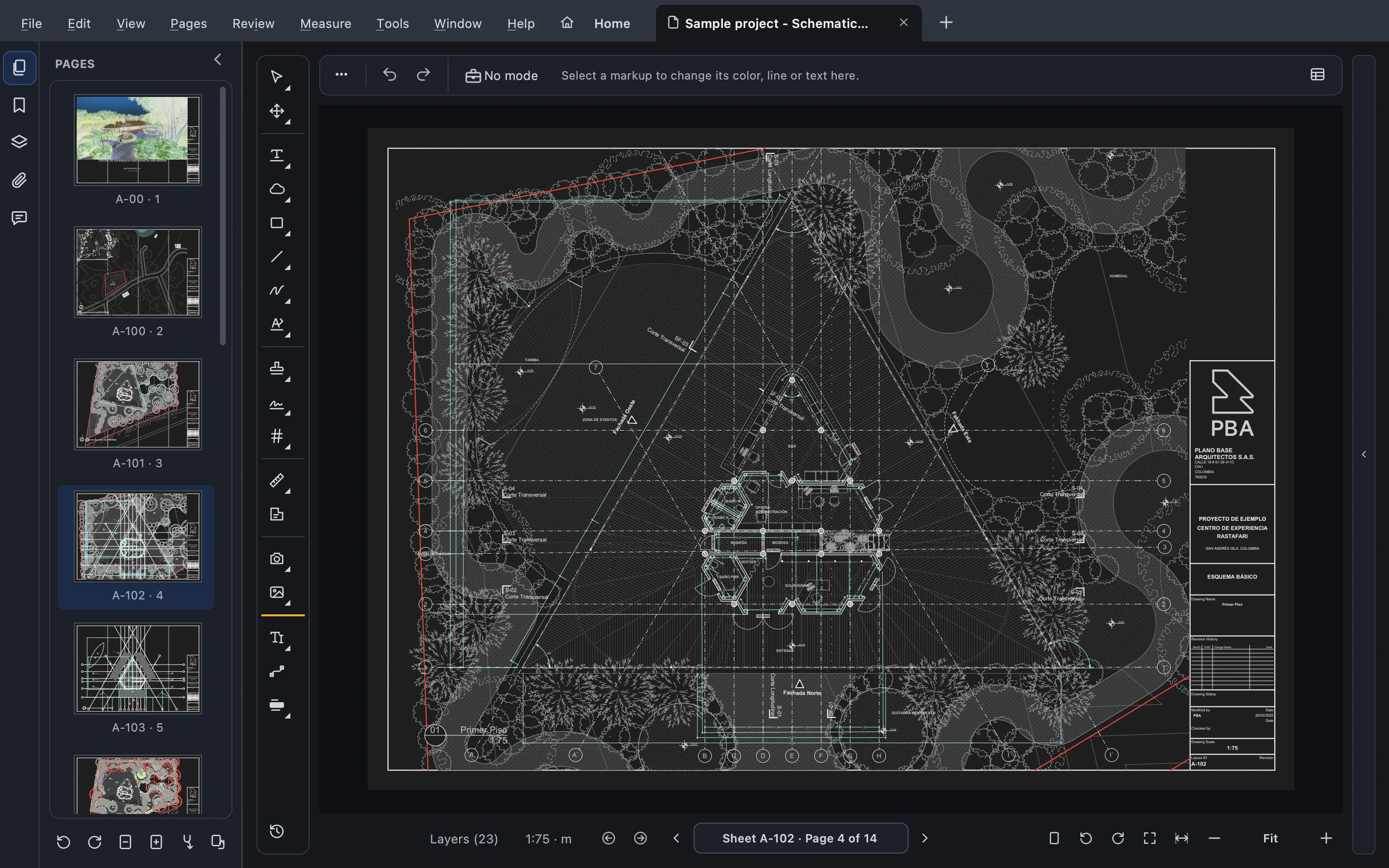
Acrobat is made for every kind of document. Stamppa is made for one: the construction drawing set, measured to scale, marked up, compared and stamped, on Mac or Windows, without leaving your computer.
Installs on Windows 10/11 and Mac (Apple Silicon). Send yourself the link.
Free for 14 days with every feature, just your email, no card. If you don’t buy, it stays a free PDF viewer.
- Acrobat Pro
- US$19.99 a month, yearly plan
- Stamppa
- US$39 a year, one payment
Made for drawing sets
What a drawing set needs every day
The work architects, engineers and builders do on PDFs all day, built in rather than added on.
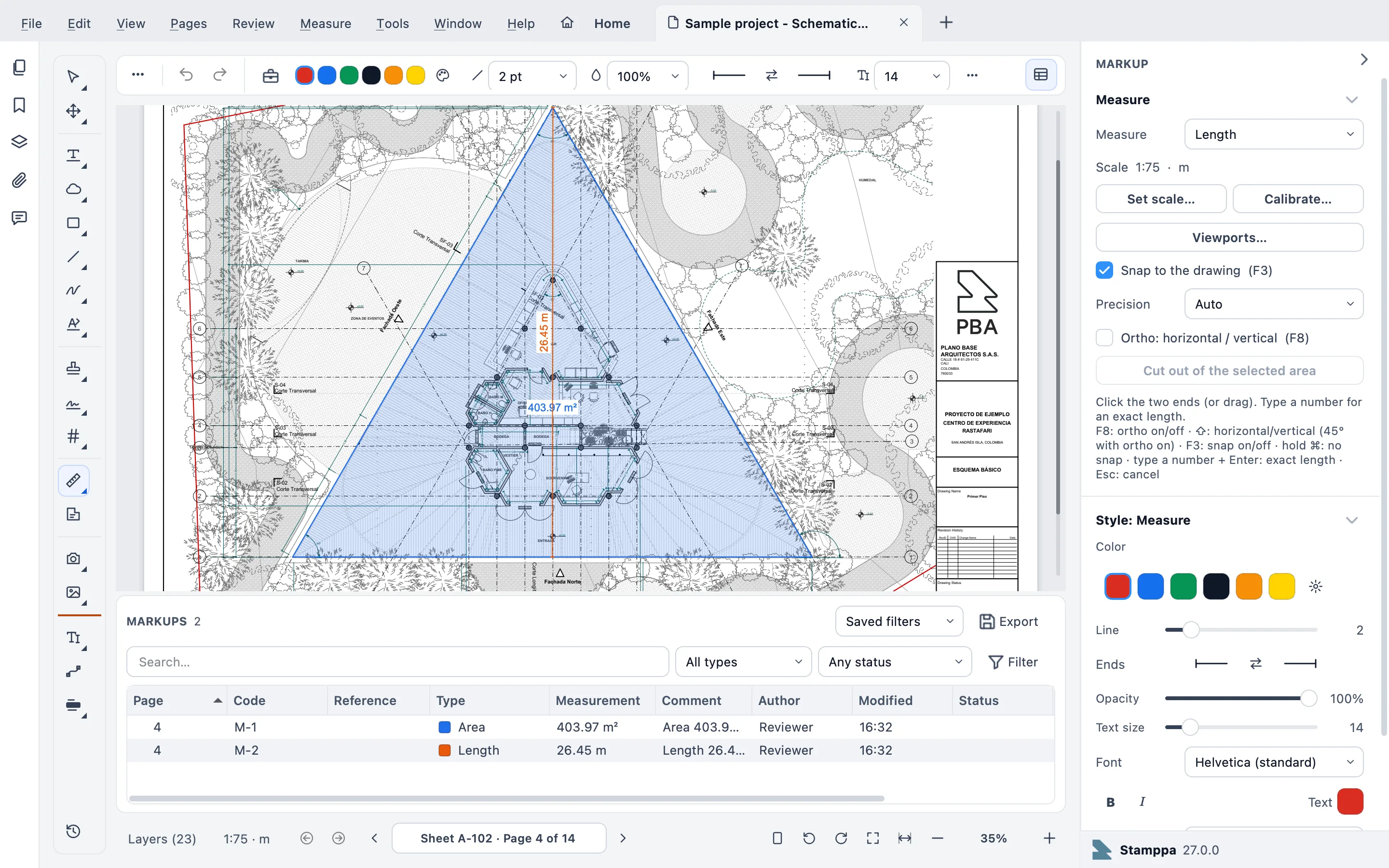
Measure at the drawing’s scale
A scale set in Acrobat or Bluebeam is read as is. Length, area with cut-outs, count, volume and more, with quantities to Excel and a Quantity Link that updates your workbook.
A Markups list with codes
Every markup gets a code like M-0007 and your own Reference. Custom columns, column filters, saved filters and layers per reviewer.
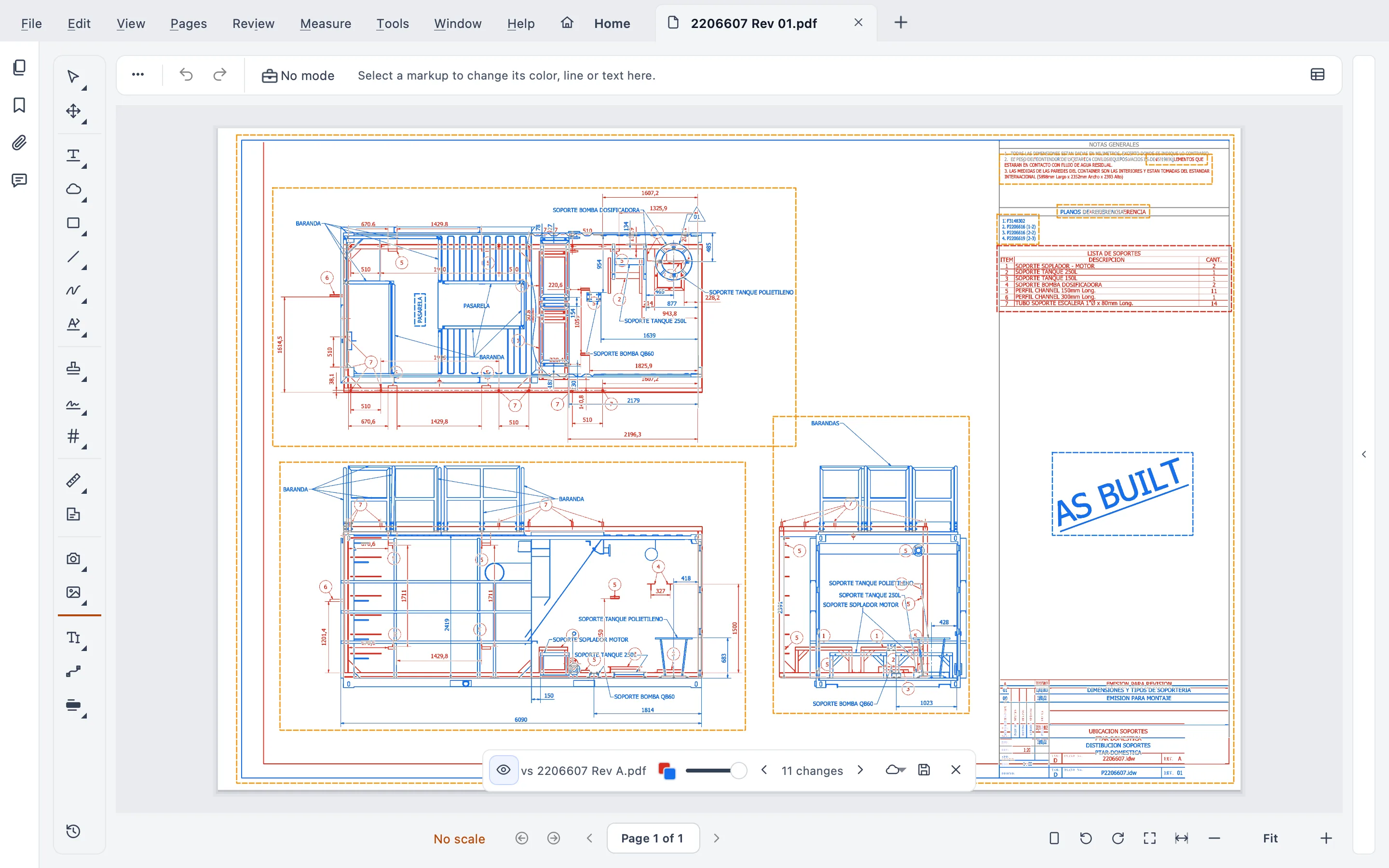
Compare a revision, or a whole set
Live Compare right on the sheet, text compare that lists words added and removed, and a whole set compared and slip-sheeted at once.
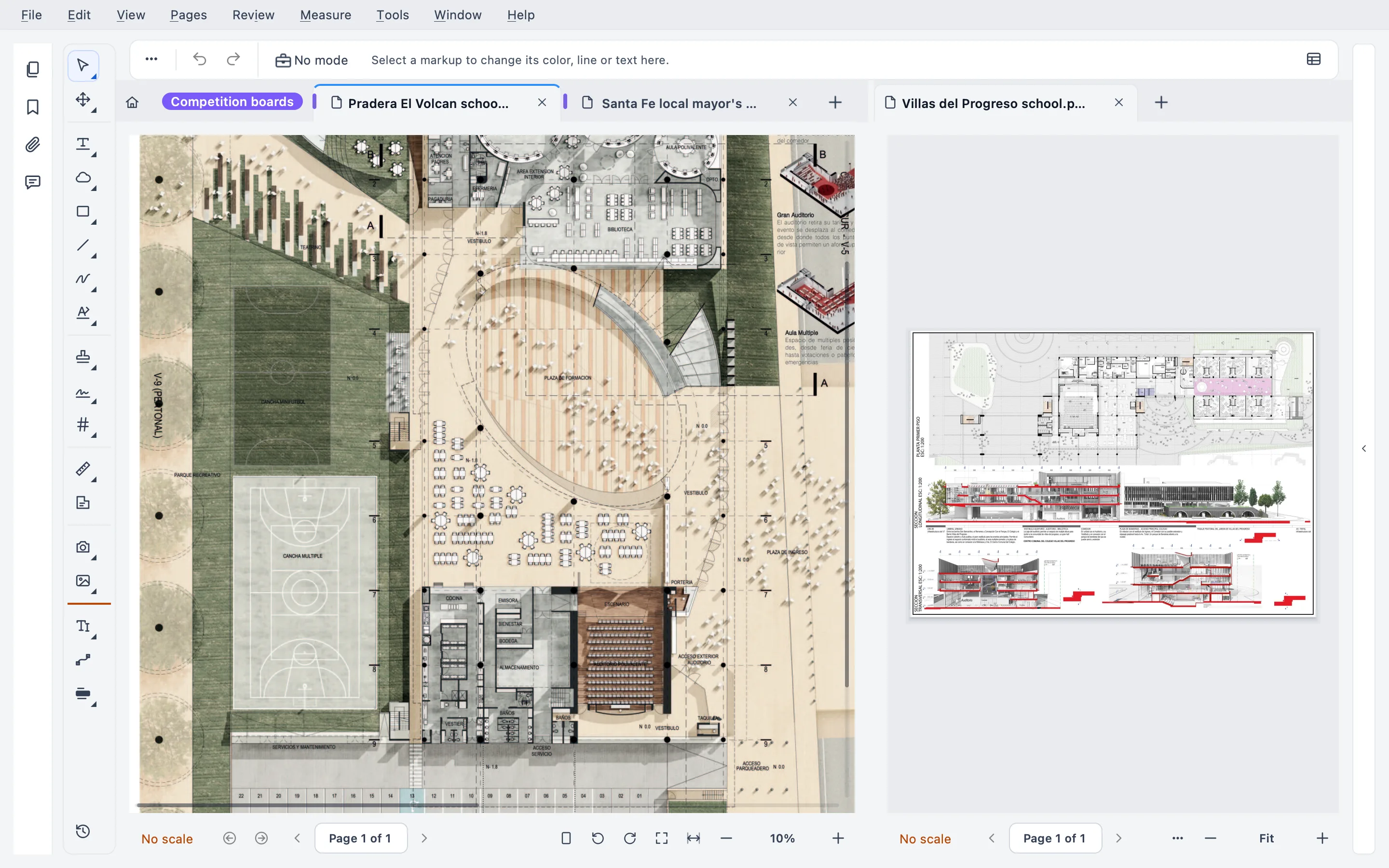
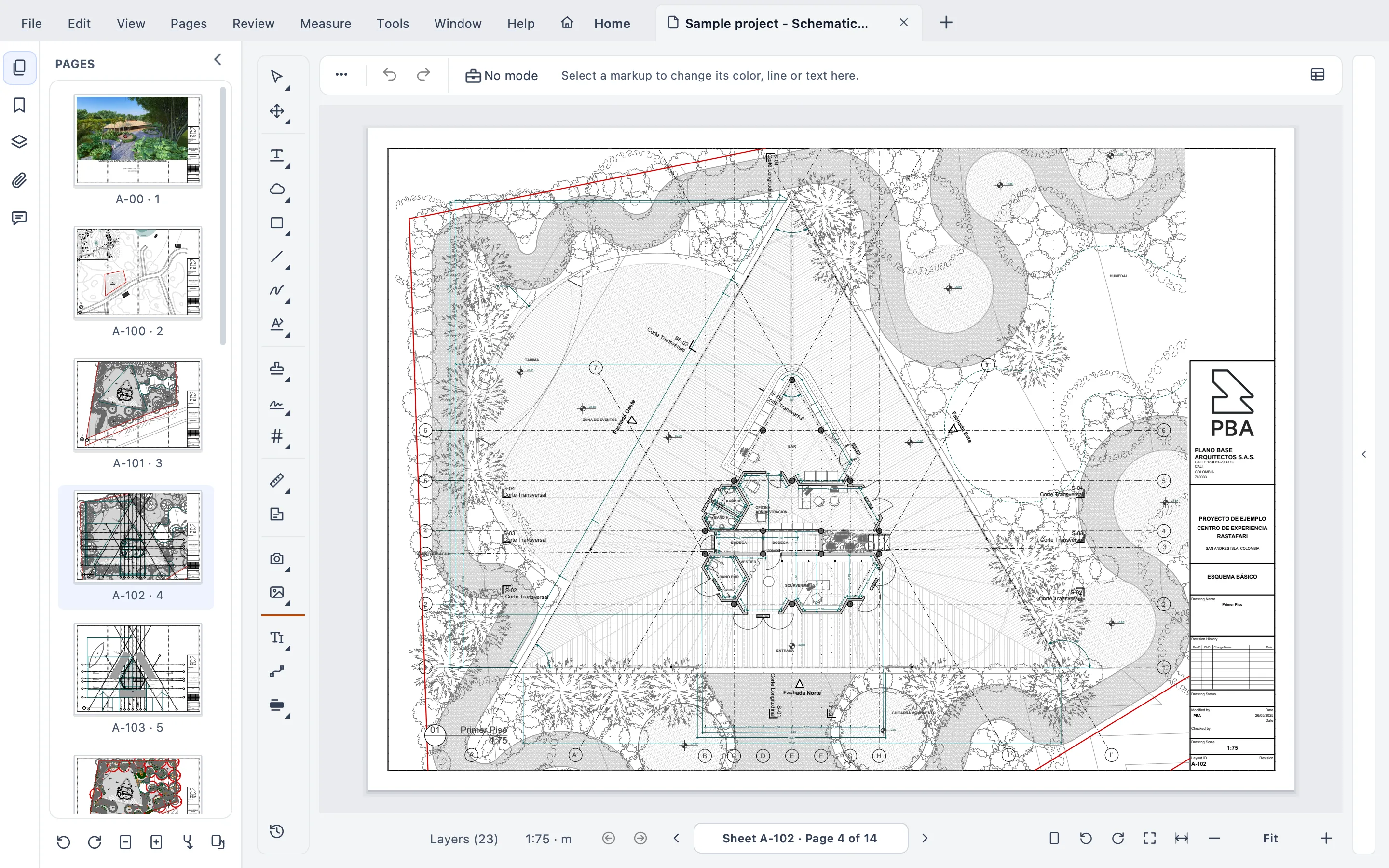
Sheet sets
Many files read as one document, with a sheet index taken from the title blocks, continuous scroll and search through the whole set.
Batch Stamp
Received, Approved, For Construction on whole folders, with dynamic fields, a check before every run and one-click undo.
Works offline
It connects only to confirm your license and never sends your documents. No cloud, no telemetry.
Side by side
Stamppa and Adobe Acrobat Pro, compared
Only facts we could check on Adobe’s own pages, with the date we checked them.
| Stamppa | Acrobat Pro | |
|---|---|---|
| Price per user | US$39 a year at the Founder price (first 100 customers), or US$12 a month | US$19.99 per month, yearly plan (Pro) |
| Ways to pay | Yearly, one payment a year; or monthly | Yearly billed monthly, yearly prepaid (US$239.88) or month to month (US$29.99) |
| If you stop paying | The version you paid for is yours forever, with every feature (monthly: after 12 months paid in a row) | Back to the free Reader |
| Desktop app | Windows 10/11 and macOS 12 or later (Apple Silicon) | Windows and macOS, on Intel and Apple Silicon Macs |
| Browser, phone and tablet | No: it installs on a computer | Yes: desktop, web and mobile |
| Measuring | Length, area with cut-outs, perimeter, count, angle, volume and arc, with quantities to Excel | Measuring tool: distance, perimeter and area |
| Comparing revisions | Live Compare on the sheet, text compare, and a whole set at once | Compare two versions of a PDF (Pro only, not Standard) |
| Signatures | Visual and certificate (PAdES) signatures with long-term validation (LTV), from a .pfx file, the Mac Keychain or the Windows certificate store, also on a whole set at once; requests to several people, in order, recorded in the PDF itself | Request e-signatures and track responses (Standard and Pro) |
| Where your files live | On your computer, no cloud; the account only holds your license | Desktop, plus 100 GB of Adobe cloud storage with an Adobe account |
Acrobat facts checked on October 22, 2026 on Adobe’s site. Prices in US dollars for one person.
Sources: Acrobat pricing · Acrobat Pro · Measuring tool · Technical requirements
An honest fit check
Where Acrobat is stronger
- E-signatures as an online service: send a document for signature, track the responses as they happen and set reminders. Stamppa’s signature requests travel in the PDF, so you see who signed when the file comes back.
- Everywhere you are: desktop, web and mobile, with 100 GB of Adobe cloud storage and connections to OneDrive, Google Drive, Dropbox and Box.
- Everyday office documents: contracts, forms and reports, well beyond drawings.
- Intel Macs: Acrobat runs on them; Stamppa needs a Mac with Apple Silicon.
If most of your PDFs are contracts to sign, Acrobat is the better fit. You can also keep it for those and open your drawings in Stamppa: markups are standard PDF annotations on both sides.
Where Stamppa fits better
- Your PDFs are drawing sets: you measure, mark up, compare and stamp them.
- You want measuring with count, volume and quantities to Excel, not only distance and area.
- You want a markups list you can filter, assign and send as a report.
- You’d rather keep your drawings on your computer, and keep the version you paid for.
Switching from Acrobat
Keep your PDFs as they are
Open your drawings
File ▸ Open…, or make Stamppa your default PDF app. Comments and markups are standard PDF annotations, so the ones made in Acrobat come in as they are.
Measure right away
A page scale or viewport set in Acrobat is read as is. No need to calibrate again.
Send them back
What you add in Stamppa is standard too, so anyone with Acrobat or the free Acrobat Reader sees it.
What it costs
Every tool for drawing sets, in one price
Pay once a year and Stamppa 27 is yours forever, with every 27.x update, including the ones released after you cancel. It renews at your same price. There is a monthly plan too: after 12 months paid in a row, that day’s version is yours.
Prices in US$, excluding tax.Prices in euros, VAT included.Prices in pounds, VAT included.Prices in Swiss francs, VAT included.
Founder price · first 100 customers
Acrobat Pro: US$19.99 a month on a yearly plan. Full pricing
Free for 14 days with every feature, just your email, no card.
Questions from Acrobat users
Ask Gus anything elseCan Stamppa replace Acrobat completely?
For drawing sets, it covers the daily work: viewing, markup, measuring, comparing, stamping and signing, plus PDF tools to merge, split, compress, OCR, protect and convert to and from Word, Excel and PowerPoint. What it does not have is a browser or phone version, or an online e-signature service that tracks who has signed for you and sends reminders. If you need those, keep Acrobat for them.
Can I ask other people to sign a PDF?
Yes. Review ▸ Stamp & sign ▸ Request signatures… puts a signature box on the sheet for each person, in the order they sign, with a due date. You send the PDF as you send any file; each person opens it in Stamppa and signs, with a drawn signature or a certificate, and every step is recorded in the PDF, with a signature record page at the end. No outside service is involved. A drawn signature does not prove who signed; when identity matters, ask for a certificate signature.
Will my Acrobat comments and scales come over?
Yes. Comments and markups are standard PDF annotations, so Stamppa shows the ones made in Acrobat, and Acrobat shows the ones you add in Stamppa. A page scale or viewport set in Acrobat is read as is, so you can measure right away.
Doesn’t Acrobat measure too?
Yes. Acrobat’s Measuring tool measures distance, perimeter and area. Stamppa adds count, angle, volume, arc and areas with cut-outs, quantities by room and level, takeoff to Excel and a Quantity Link that updates its own sheet in your workbook.
What does it cost compared with Acrobat Pro?
Stamppa is US$39 a year for one person, or US$33 per seat a year for a team of 4 or more, at the Founder price for the first 100 customers. Acrobat Pro is US$19.99 a month on a yearly plan billed monthly, US$239.88 a year prepaid, or US$29.99 month to month.
Does Stamppa run on my Mac?
On a Mac with Apple Silicon (M1 or newer) and macOS 12 or later, yes, natively. On an Intel Mac, no: that is one place where Acrobat, which runs on both, is the better choice.
Open your next drawing set in Stamppa
Free for 14 days with every feature. Measure, mark up and compare a set you have open this week.
Windows 10/11 · macOS (Apple Silicon)