Whiteboard with mind maps · a tool inside the Stamppa PDF viewer
A whiteboard for architects.
Sketch over a sheet at its scale, draw diagrams at draw.io level or lay out a mind map. One board, in the same app where you read your drawing set, on your computer and offline.
Stamppa installs on Windows 10/11 and Mac (Apple Silicon). Send yourself the link.
14 days with every feature, started with just your email. No card.
Two looks
Precise or hand-drawn, your choice per board
- Clean
Precise
Clean, precise lines, for diagrams you hand to a client.
- Sketch
Hand-drawn
Stamppa’s own pen, for ideas that should still look open.
- Trace paper
A theme
The board as a sheet of trace, the way you sketch at the desk.
You choose the look when you create a board. Old Excalidraw boards still look as they did.
Diagrams
Diagrams at draw.io level, simple on the surface
A draw.io alternative on your desktop: the same depth of diagramming, and it opens and saves .drawio files.
A searchable shape catalogue
Find a shape by name instead of hunting through palettes.
Ports and routed connectors
Connection points on every shape, and connectors that route themselves between them.
Containers and swimlanes
Group steps by team, phase or discipline.
Tables and data on shapes
Tables on the board, and your own data attached to each shape.
Several pages
One file, many pages: options, phases or a whole workshop.
Auto-layout
Let the board arrange a diagram for you, then adjust by hand.
Architect diagrams
Diagrams that know about scale
- Drawn to scale over a sheet, with live areas
- A room programme turned into bubbles sized by area
- Walls, grids and section marks
- North arrow and scale-true symbols
Napkin mode
Sketch like you do on trace
A bare sheet of napkin, trace or notebook paper and seven tools that look like an architect’s sketch. It keeps up with the pen, even on Retina screens.
- Soft pencil
- Fineliner
- Grey markers that darken where they overlap
- Wash
- Eraser
- A new trace sheet
- Quick hatching
Plus an assisted straight line and a perspective guide.
Mind maps and workshops
Mind maps, presentations and workshops on the same board
Mind maps
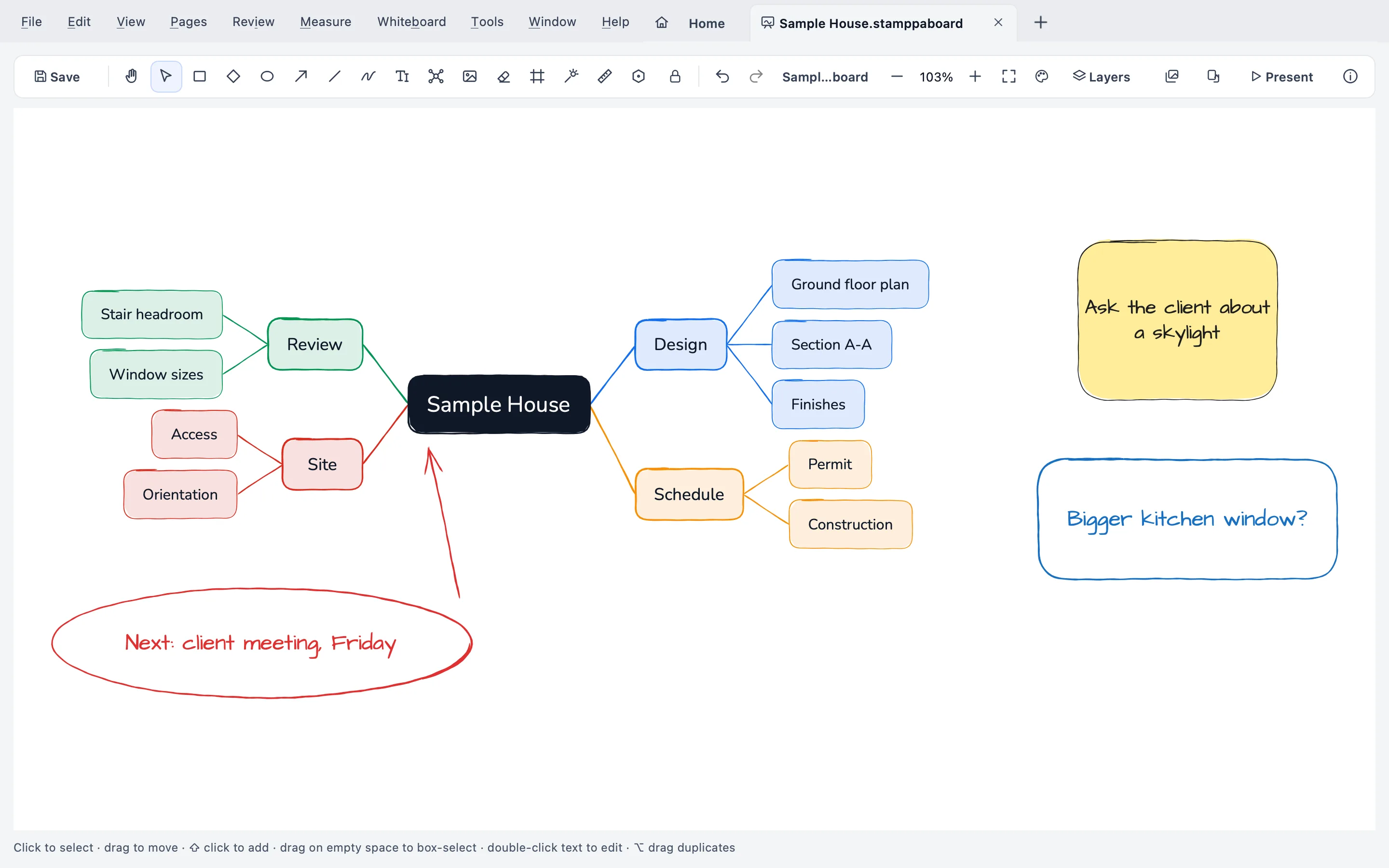
Part of the board, not a separate app: branch out an idea next to the diagram it becomes.
Presentation mode
Frames become slides, with a presenter view.
Workshop kit
Sticky notes, dot voting and a timer for a session with your team or client.
AEC templates
Starting points made for architecture, engineering and construction work.
Files
Your diagrams aren’t locked in
| Format | What it does |
|---|---|
| .stamppaboard | Its own format |
| .drawio | Opens and saves draw.io files |
| .vsdx | Imports Visio files |
| Excalidraw | Still opens and saves Excalidraw files |
Board and PDF
Back and forth with your drawings
- Sketch on this page. Open a sheet from the PDF as the board’s underlay and sketch on it.
- Region snapshots. Bring a part of a sheet to the board from the editor.
- Markups both ways. Send markups from the board to the PDF and back.
What it costs
Whiteboard comes with Stamppa
Not a separate purchase: every plan has the viewer, the editor and every tool. Pay once a year and Stamppa 27 is yours forever, with every 27.x update, including the ones released after you cancel. It renews at your same price. There is a monthly plan too: after 12 months paid in a row, that day’s version is yours.
Prices in US$, excluding tax.Prices in euros, VAT included.Prices in pounds, VAT included.Prices in Swiss francs, VAT included.
Founder price · first 100 customers
14 days with every feature, started with just your email. No card.
Questions about the whiteboard
Ask Gus anything elseIs it a draw.io alternative for the desktop?
For many diagrams, yes. It has a searchable shape catalogue, connectors that route between ports, containers and swimlanes, tables, pages and auto-layout, and it opens and saves .drawio files. It runs in the Stamppa app on Windows and Mac, and works offline.
Can I make mind maps with it?
Yes. Mind maps are part of the same board, so an idea, the diagram it turns into and a sketch over the drawing can live side by side.
Can I open my Visio and Excalidraw files?
Visio files (.vsdx) can be imported. Excalidraw files still open and save, and old Excalidraw boards look as they did.
Does it work offline?
Works offline; it connects only to confirm your license, when you open it and when you ask it to, never in the background. It can go up to a year without internet (a month on the monthly plan). It never sends your documents.
Is the whiteboard sold separately?
No. It’s one of the tools inside Stamppa, a PDF viewer and editor for drawing sets. Every plan has every tool: US$39 a year for one person at the Founder price, one payment, with a 14-day free trial.
Sketch your next idea in Stamppa
Free for 14 days with every feature. Open a sheet, start a board and draw on it.
Windows 10/11 · macOS (Apple Silicon)