Your version is in My account
Each version you own for good has its download there, after you sign in. The files below are the newest version, which needs an active license.
Free for 14 days: sign in with your email in the app, no card. Without signing in, Stamppa is a free PDF viewer.
Each version you own for good has its download there, after you sign in. The files below are the newest version, which needs an active license.
Version 27.0.0 · 62.6 MB
SHA-256 e2578c85ef61116073fcf2051b09cd5da92e6ccb1e7cb20ae855a79cdbc65f62
Windows 10 or 11, 64-bit. No admin rights needed.
Version 27.1.1 · 101.8 MB
SHA-256 32127e78f8888b2ae3e7561f9595febb76fa9c49d293dfc4954dc95cde0f719f
macOS 12 or later on Apple Silicon (M1 and newer).
Also:Mac (Apple Silicon)Windows installerLinux: not yet. Tell us you need it
It runs on Windows and Mac. Send yourself the link and open it at your desk.
Stamppa is new and its installer isn’t code-signed yet, so your computer warns you once. These are the real warnings and what to click.
It installs for your user only, no administrator rights needed.
SmartScreen shows this for any new program it hasn’t seen many times yet.
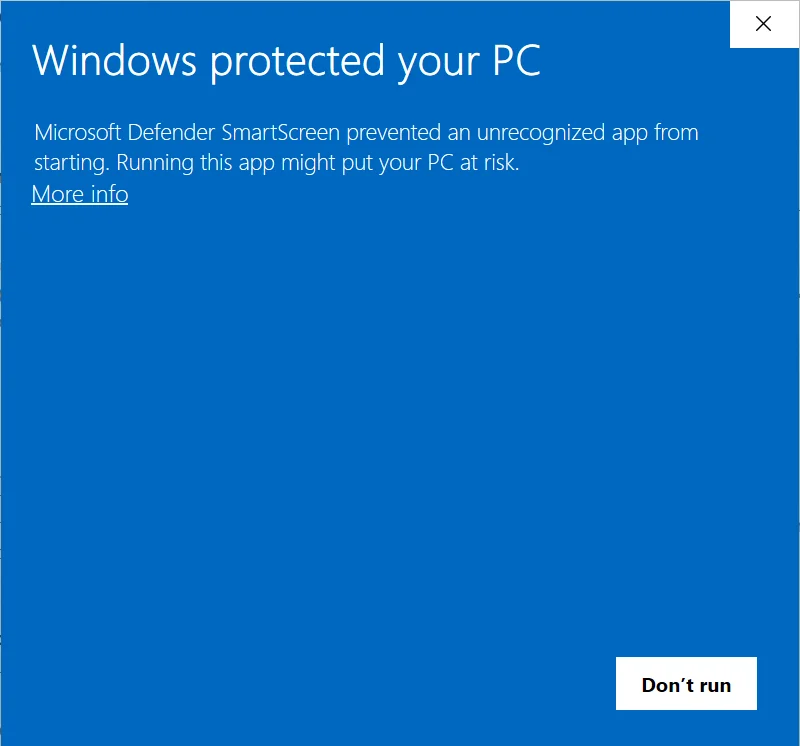
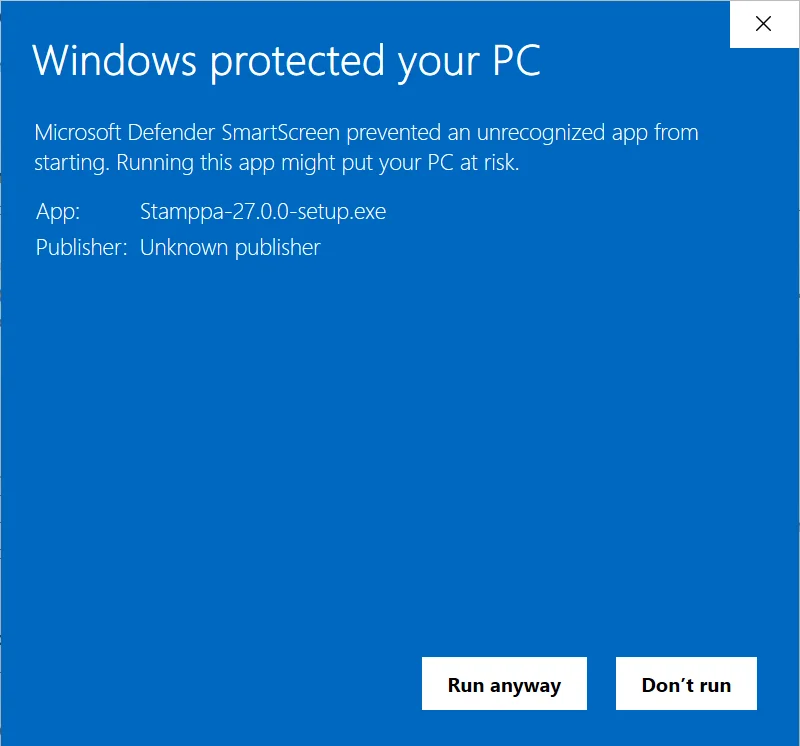
Open PDFs with Stamppa, the right-click menu in File Explorer, starting with Windows: you can change them later in Help ▸ Windows integration. After this first time, Stamppa opens normally.
Check the file first (optional)
Compare the SHA-256 shown on this page with the one your computer calculates:
Get-FileHash .\Stamppa-27.0.0-setup.exeStuck? See the install guide or write to support@stamppa.com · Install guide
Every button goes through a page that starts the download and shows the next steps. Intel Mac: write to us.
Stamppa-27.0.0-setup.exe /VERYSILENT /TASKS="contextmenu,openwith"Stamppa 27, the first public release: a fast PDF viewer for drawing sets, with tools for markup, measuring, comparing, editing, signing and stamping. From now on, versions are named by year.