Stamppa 27.0.0 for Windows · Stamppa-27.0.0-setup.exe
Your download started
If it didn’t start, download it here.
62.6 MBSHA-256 e2578c85ef61116073fcf2051b09cd5da92e6ccb1e7cb20ae855a79cdbc65f62
You’re on a phone
Stamppa installs on Windows and Mac computers. Send yourself the link and open it at your desk.
Three steps and you’re in
- 1
Install
Run the installer. It installs for your user only, no administrator rights needed.
- 2
Open Stamppa
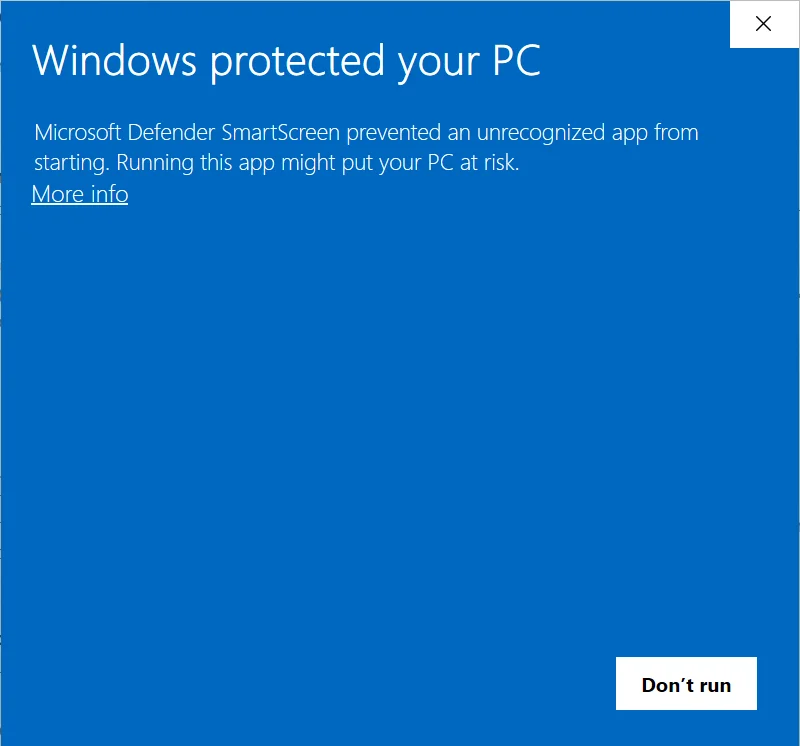
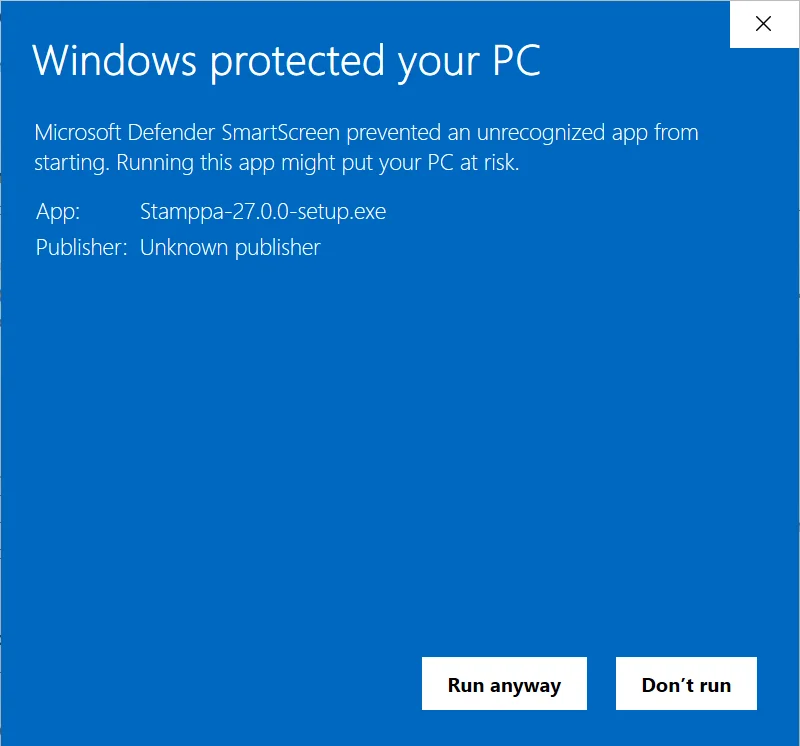
The first time, Windows shows a blue warning because the app isn’t signed yet. Here’s what to click ↓
- 3
Sign in with your email
That starts your 14-day trial, with every tool. No card. Then open Help ▸ Open the sample drawing to look around.
Without signing in, Stamppa opens as a free PDF viewer.
The first time you open it
On Windows
- Run Stamppa-27.0.0-setup.exe.
It installs for your user only, no administrator rights needed.
- A blue window says “Windows protected your PC”. Click More info.
SmartScreen shows this for any new program it hasn’t seen many times yet.
- Then click Run anyway.
- Pick the options you want, and Stamppa opens.
Open PDFs with Stamppa, the right-click menu in File Explorer, starting with Windows: you can change them later in Help ▸ Windows integration. After this first time, Stamppa opens normally.
Check the file first (optional)
Compare the SHA-256 shown on this page with the one your computer calculates:
Get-FileHash .\Stamppa-27.0.0-setup.exeWrong file?Mac: Apple Silicon (.dmg)All downloads
Stuck? Write to support@stamppa.com