For people leaving Bluebeam Revu
A Bluebeam alternative for Mac and Windows.
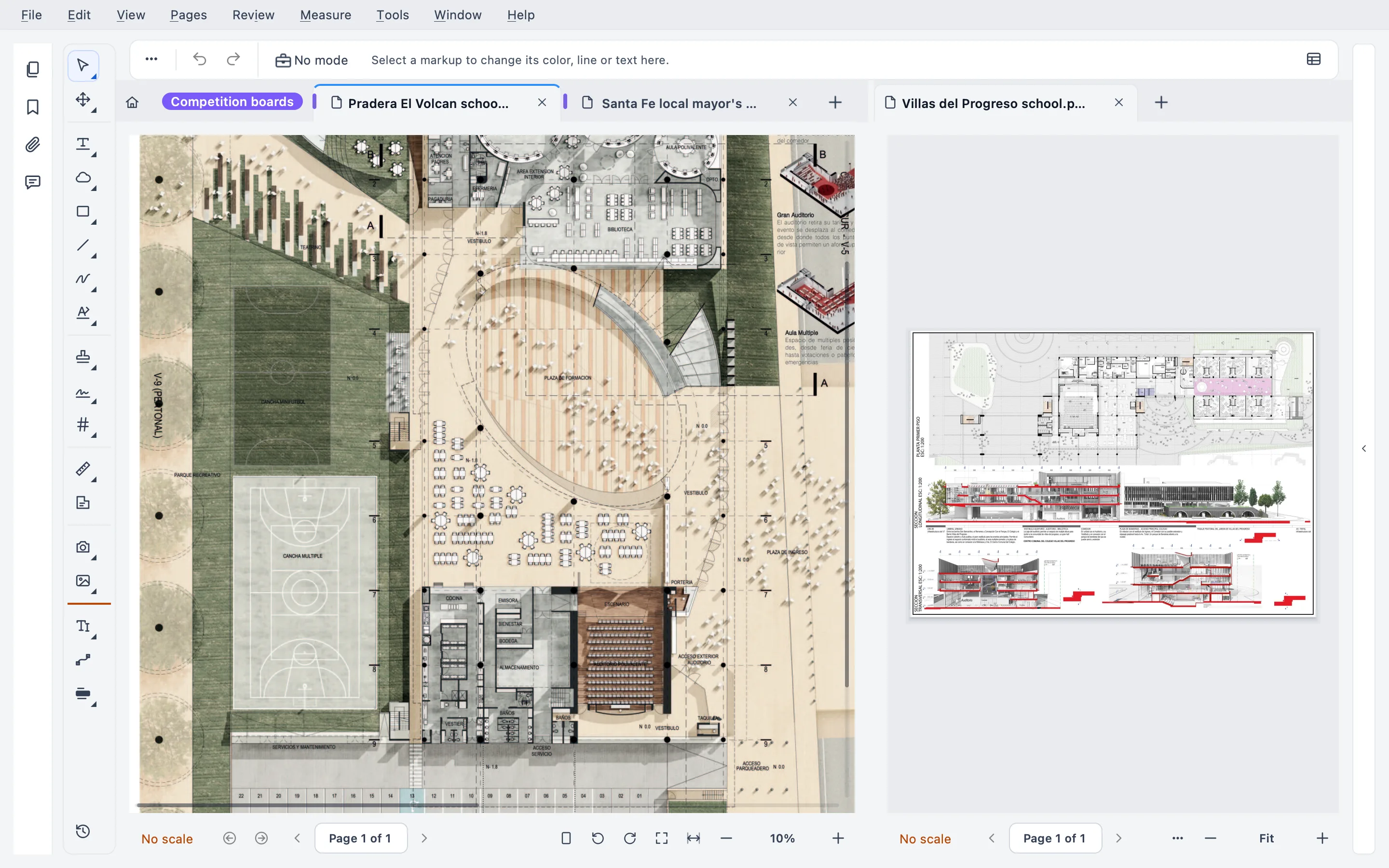
Stamppa is a PDF viewer and editor for drawing sets. Your Revu PDFs open with their markups and scales, natively on Mac or Windows, and never leave your computer.
Installs on Windows 10/11 and Mac (Apple Silicon). Send yourself the link.
Free for 14 days with every feature, just your email, no card. If you don’t buy, it stays a free PDF viewer.
- Revu for Mac
- End of life on June 28, 2023
- Stamppa
- Native on Mac and Windows
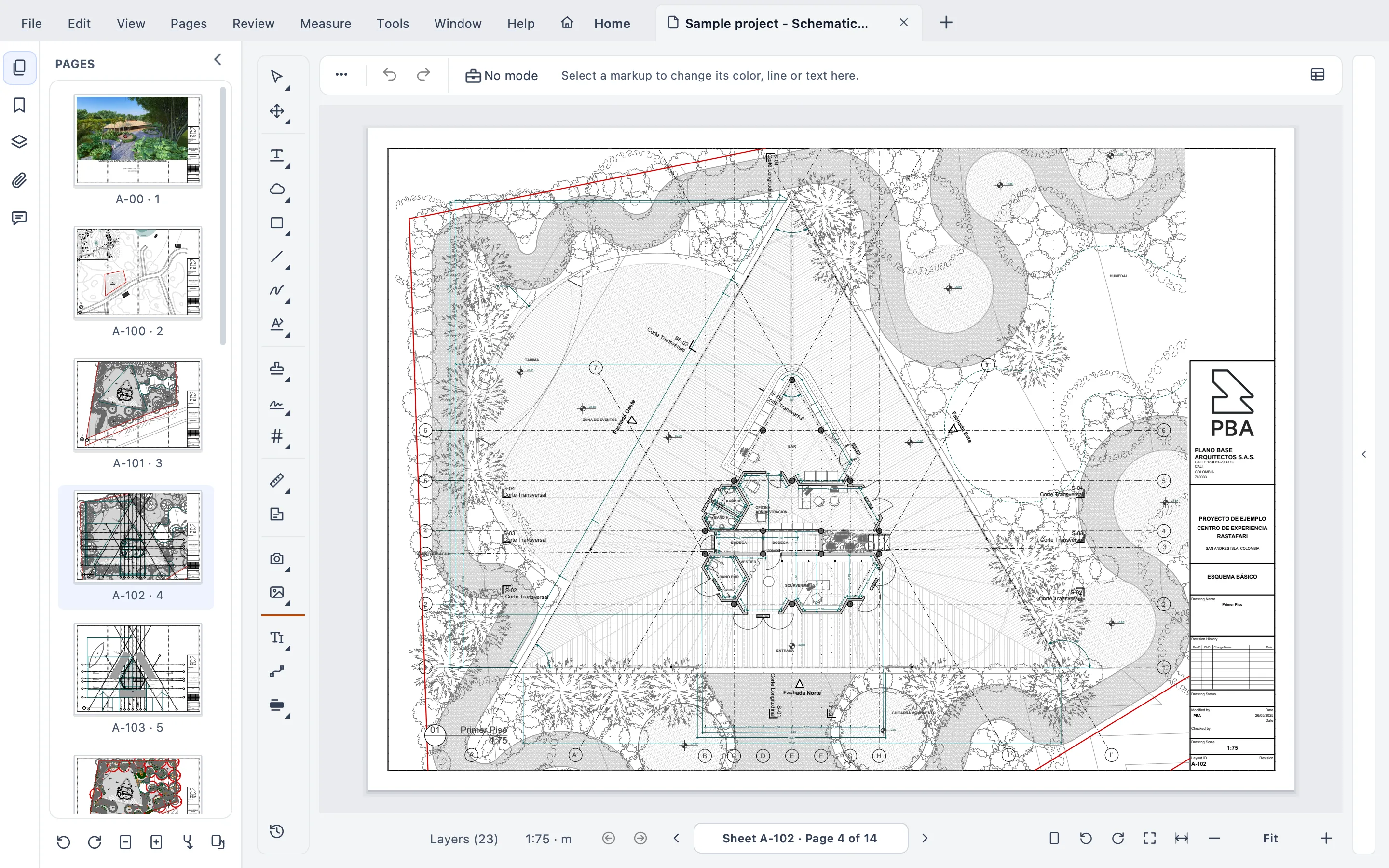
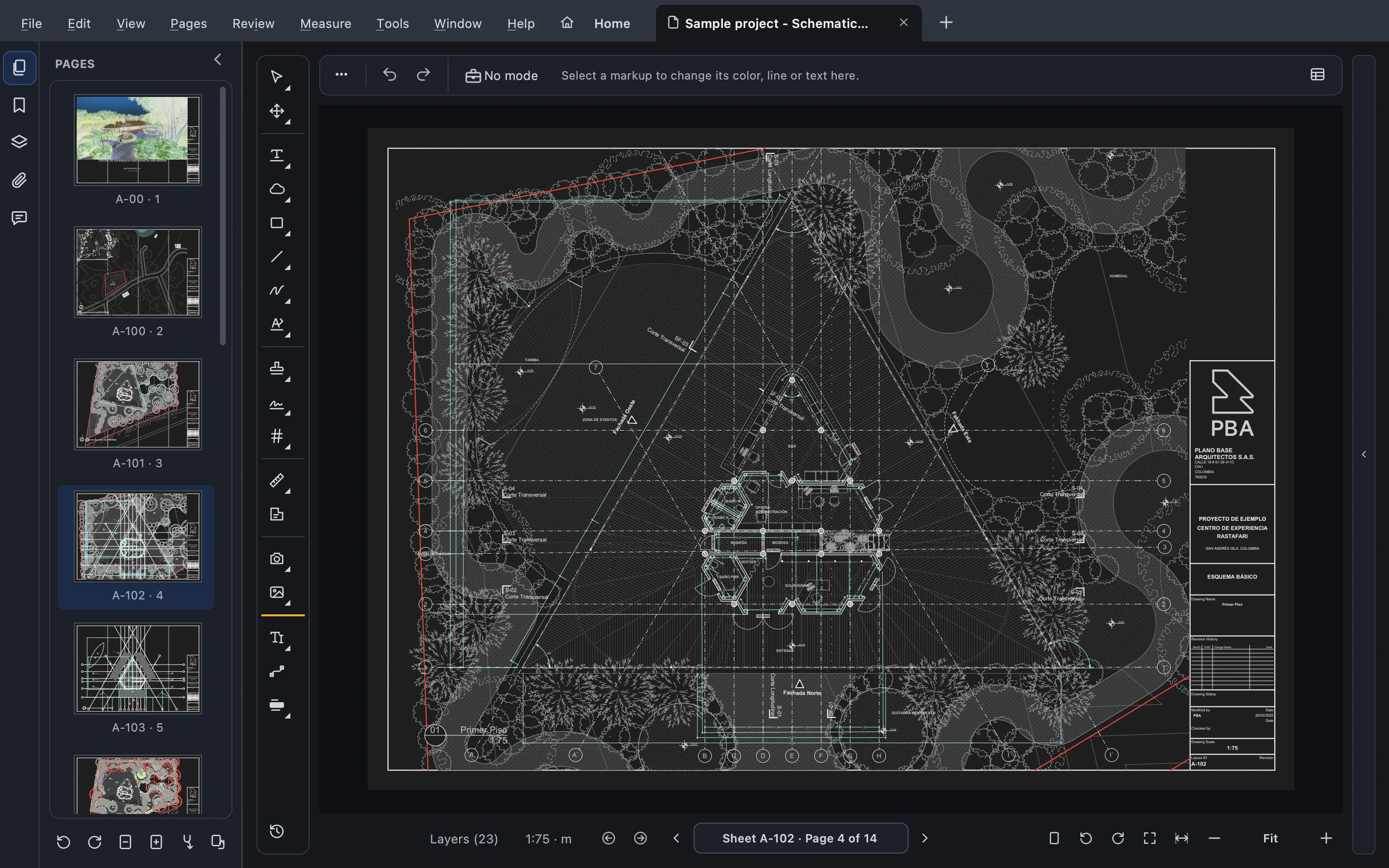
What carries over
Your PDFs, markups and habits come with you
Stamppa reads drawings the way Revu users already work: standard PDF markups, scales set in the file, a markups list with columns.
Markups, both ways
Markups are standard PDF annotations, so the ones you made in Revu open in Stamppa, and Stamppa’s open in Revu.
XFDF in and out
Markups kept apart from the PDF come in and go out as XFDF, from the Review menu.
Scales as set
A page scale or viewport set in Bluebeam or Acrobat is read as is, so you can measure right away.
A markups list like Revu’s
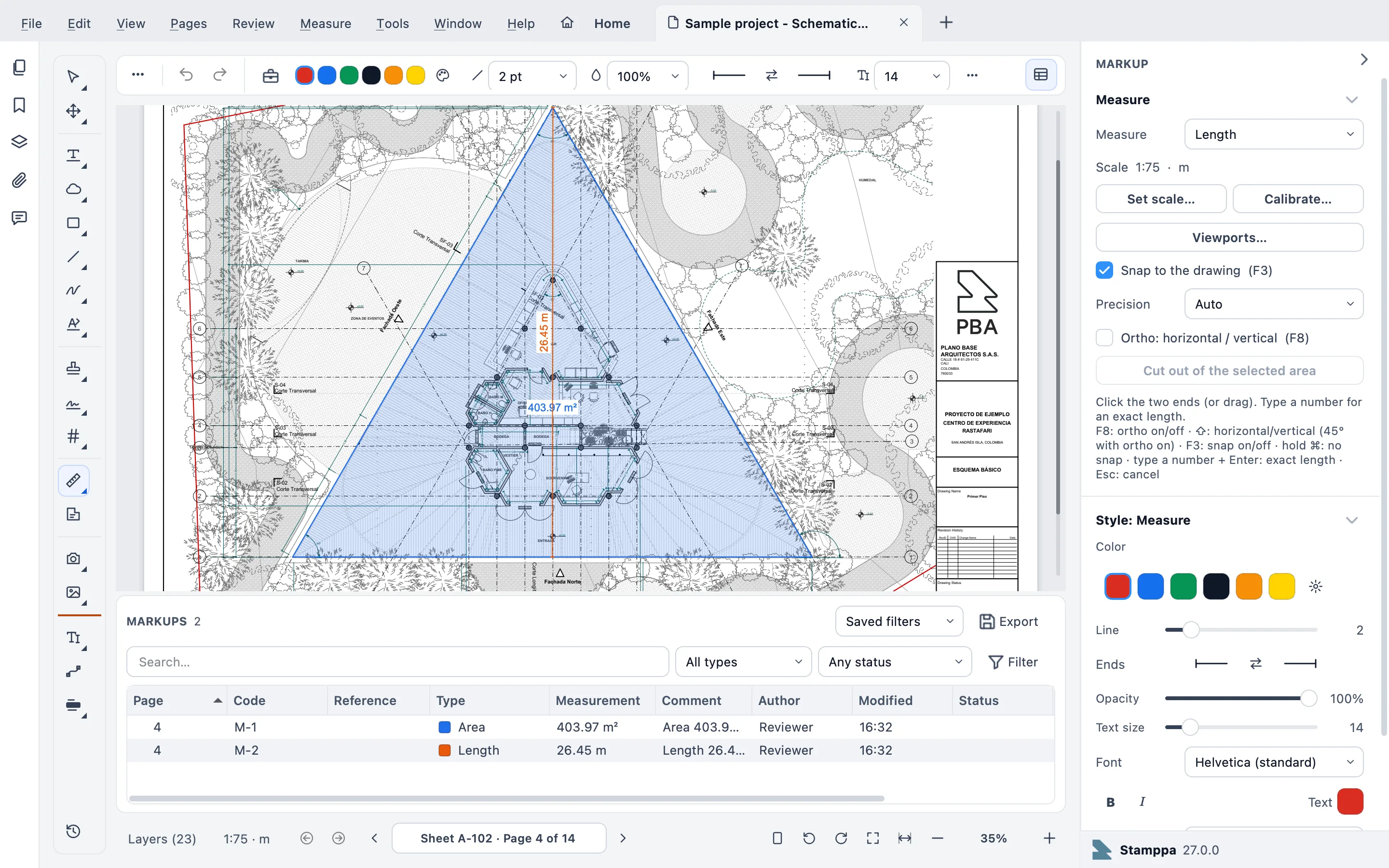
Custom columns, column filters and saved filters. Every markup gets a code, like M-0007.
Measure and take off
Length, area with cut-outs, perimeter, count, angle, volume and arc, with quantities to Excel.
Compare and slip-sheet
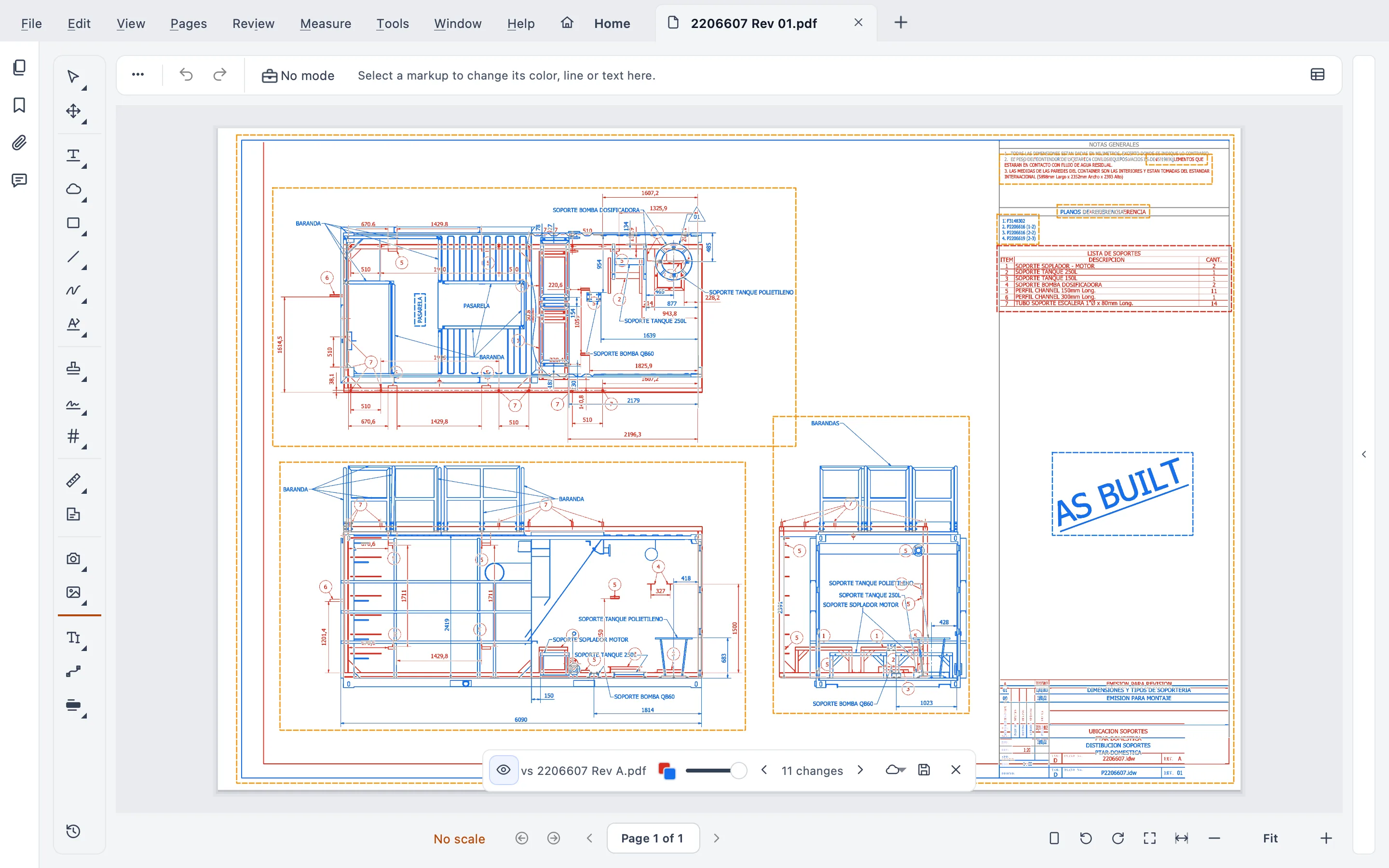
Live Compare right on the sheet, text compare, and a whole set compared at once.
Batch Stamp
Received, Approved, For Construction on whole folders, with dynamic fields and one-click undo.
Tool Chest and shortcuts
Your own tools and variations, and every keyboard shortcut customizable, shared with your team through a folder.
Side by side
Stamppa and Bluebeam Revu, compared
Only facts we could check on Bluebeam’s own pages, with the date we checked them.
| Stamppa | Bluebeam Revu | |
|---|---|---|
| Price per user | US$39 a year at the Founder price (first 100 customers), or US$12 a month | US$260–590 per year (4 plans) |
| Ways to pay | Yearly, one payment a year; or monthly | Yearly, per named user; subscription only since 2023 |
| If you stop paying | The version you paid for is yours forever, with every feature (monthly: after 12 months paid in a row) | Read-only: open, view, print |
| Native Mac app | Yes (Apple Silicon) | No (Revu for Mac ended in 2023) |
| Desktop app | Windows 10/11 and macOS (Apple Silicon) | Windows |
| Browser, phone and tablet | No: it installs on a computer | Yes: web, iOS and Android in every plan |
| Marking up together, live | No live sessions: share the PDF or an XFDF file | Yes: Studio Sessions (Core plan or higher to host one) |
| Your files stay on your computer | Yes, no cloud; the account only holds your license | Desktop + optional cloud (Studio) |
Bluebeam facts checked on October 22, 2026 on Bluebeam’s site.
Sources: Bluebeam pricing · Revu for Mac end of life · Revu 20 end of life · Read-only mode · Studio Sessions
An honest fit check
Where Bluebeam is stronger
- Studio Sessions: several people marking up the same PDF at the same time, with chat and an activity record.
- Studio Projects and the cloud: your team’s files in one shared place.
- Bluebeam on the web, iOS and Android, included in every plan.
If your team runs its reviews in Studio every day, Bluebeam is the better fit, and that’s fine.
Where Stamppa fits better
- You work on a Mac, or on both a Mac and a Windows PC.
- You want your drawings on your computer: it works offline and never sends your documents.
- You’d rather pay once a year and keep that version forever.
- You mostly review, measure, compare and stamp, on your own or by sharing files.
Moving from Revu
Three steps, no conversion
Save your PDFs in Revu
Revu keeps markups inside the PDF as standard annotations. Save, and leave them unflattened if you want to keep editing them.
Open them in Stamppa
File ▸ Open…, or make Stamppa your default PDF app. Markups, page scales and CAD layers come in as they are.
Bring in separate markups
Got markups as an XFDF file? Review ▸ Markups ▸ Import markups (XFDF)…, and Export markups (XFDF)… to send yours back.
Stamppa doesn’t read .bax files, Revu’s own markup export. Keep the markups in the PDF and they travel with it.
What it costs
One price with every feature
Pay once a year and Stamppa 27 is yours forever, with every 27.x update, including the ones released after you cancel. It renews at your same price. There is a monthly plan too: after 12 months paid in a row, that day’s version is yours.
Prices in US$, excluding tax.Prices in euros, VAT included.Prices in pounds, VAT included.Prices in Swiss francs, VAT included.
Founder price · first 100 customers
Bluebeam Revu, per user: US$260–590 per year (4 plans). Full pricing
Free for 14 days with every feature, just your email, no card.
Yearly or monthly.
Every feature, on Windows and Mac, either way. Yearly goes at the price of the tier on sale; monthly has one fixed price.
That version is yours forever.
Stamppa 27 stays yours forever, with every feature and every 27.x update, including the ones released after you cancel. If Stamppa 28 comes out while your license runs, 28 is yours too. On the monthly plan, after 12 months paid in a row.
Yearly renews at your same price.
It renews by itself every year at the price you bought at. Monthly renews every month until you cancel.
Questions from Revu users
Ask Gus anything elseCan I still use Bluebeam on a Mac?
Not as a Mac app. Bluebeam stopped developing Revu for Mac and set its end of life on June 28, 2023. It points Mac users to Bluebeam on the web and mobile, or to Revu for Windows on a Mac through Boot Camp or Parallels. Stamppa runs natively on Macs with Apple Silicon, and on Windows 10 and 11.
Will my Revu markups survive?
Yes. Markups saved in a PDF are standard annotations, so Stamppa shows them, and Revu shows the ones you add in Stamppa. Markups kept in a separate file come in as XFDF. What Stamppa doesn’t read is .bax, Revu’s own markup export.
Can my team mark up the same drawing at the same time?
Not live. Stamppa has no cloud, so there is nothing like Studio Sessions. You share the PDF or an XFDF file, and markup layers keep each reviewer or discipline apart. If live sessions are central to how you work, stay with Bluebeam for them.
What does it cost compared with Revu?
Stamppa is US$39 a year for one person, or US$33 per seat a year for a team of 4 or more, at the Founder price for the first 100 customers. Bluebeam Revu costs US$260–590 per year (4 plans) per user, billed yearly.
What happens if I cancel?
On the yearly plan, Stamppa 27 stays yours forever, with every feature and every 27.x update, including the ones released after you cancel; on the monthly plan, once you have paid 12 months in a row. The yearly plan renews by itself at your same price, and you can cancel in one click. Your files and templates are never locked. When a Bluebeam plan ends, Revu switches to read-only: open, view and print.
Open your Revu PDFs in Stamppa
Free for 14 days with every feature. Try it with your heaviest marked-up set.
Windows 10/11 · macOS (Apple Silicon)