The PDF viewer for construction drawings.
Heavy CAD sets open without freezing the window. Layers, scales, markups and revisions work the way you read drawings, on your computer, offline.
Installs on Windows 10/11 and Mac (Apple Silicon). Send yourself the link.
Free for 14 days with every feature, just your email, no card. If you don’t buy, it stays a free PDF viewer.
Pricing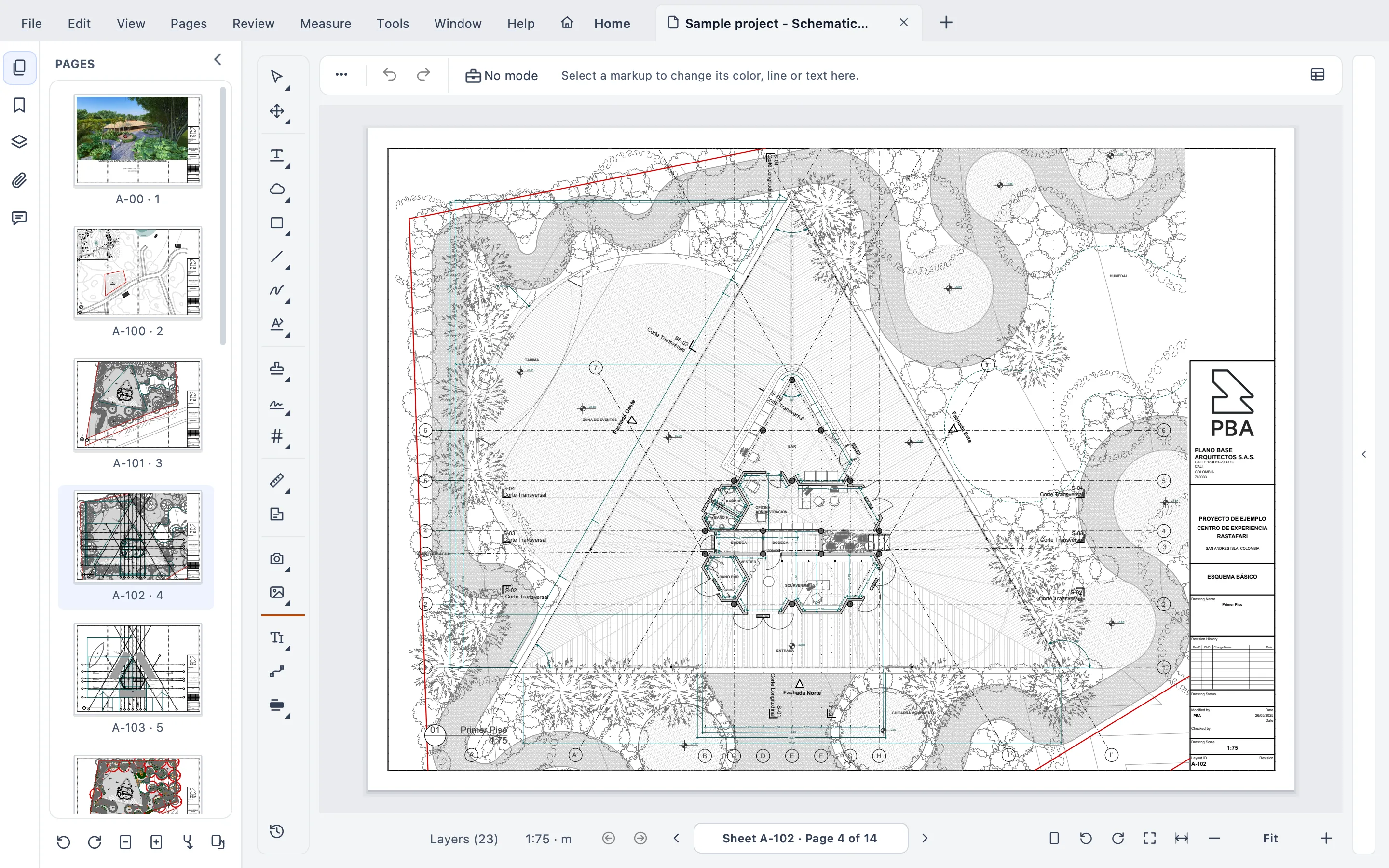
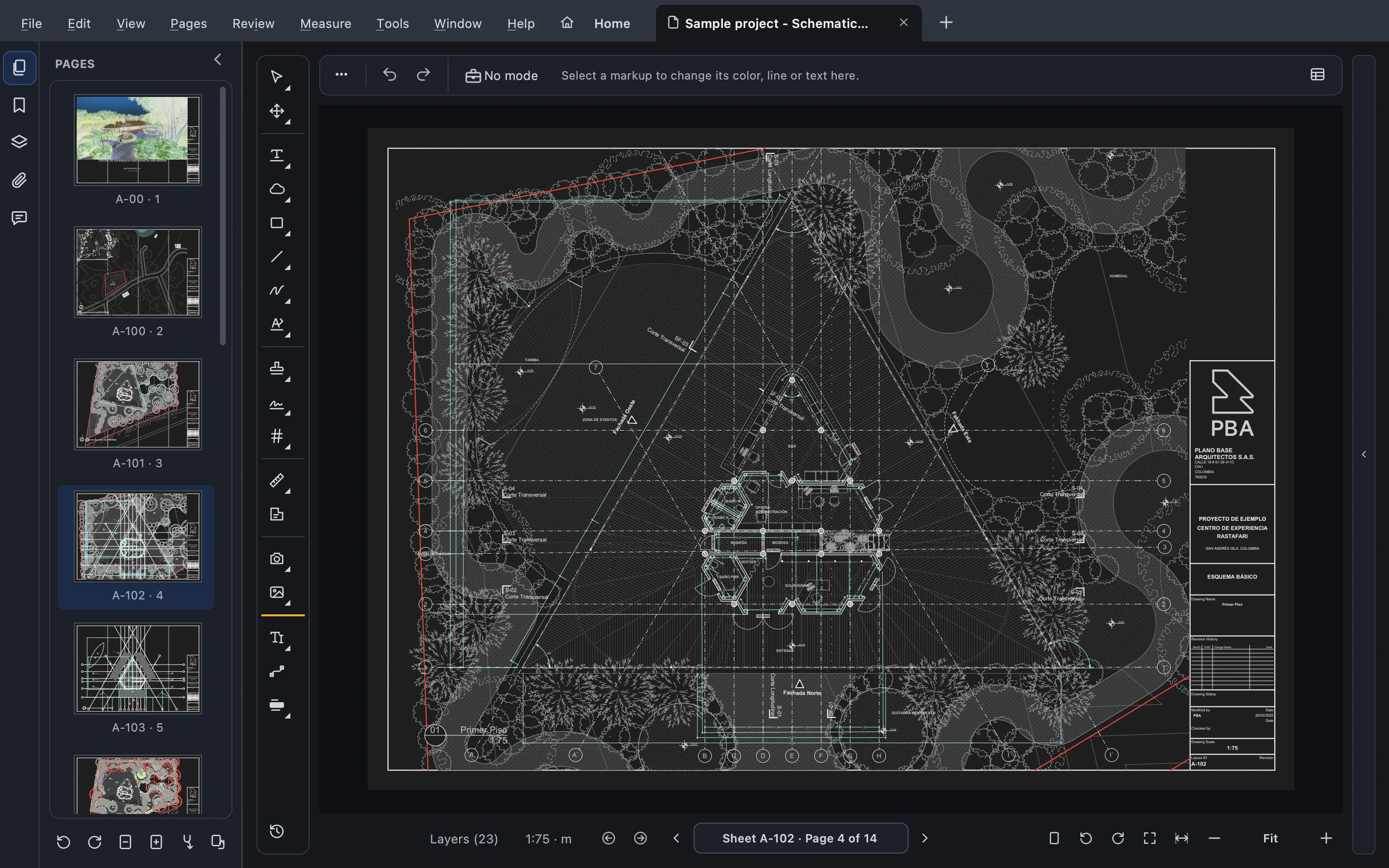
Works with what you already use
- Bluebeam and Acrobat markupsStandard PDF markups, and XFDF in and out.
- Their scales, as setA scale set in Acrobat or Bluebeam is read as is.
- AutoCAD and Revit layersTurn them on and off; hidden layers stay hidden.
- No cloudYour drawings never leave your computer.
The viewer
Made for the way you read drawings
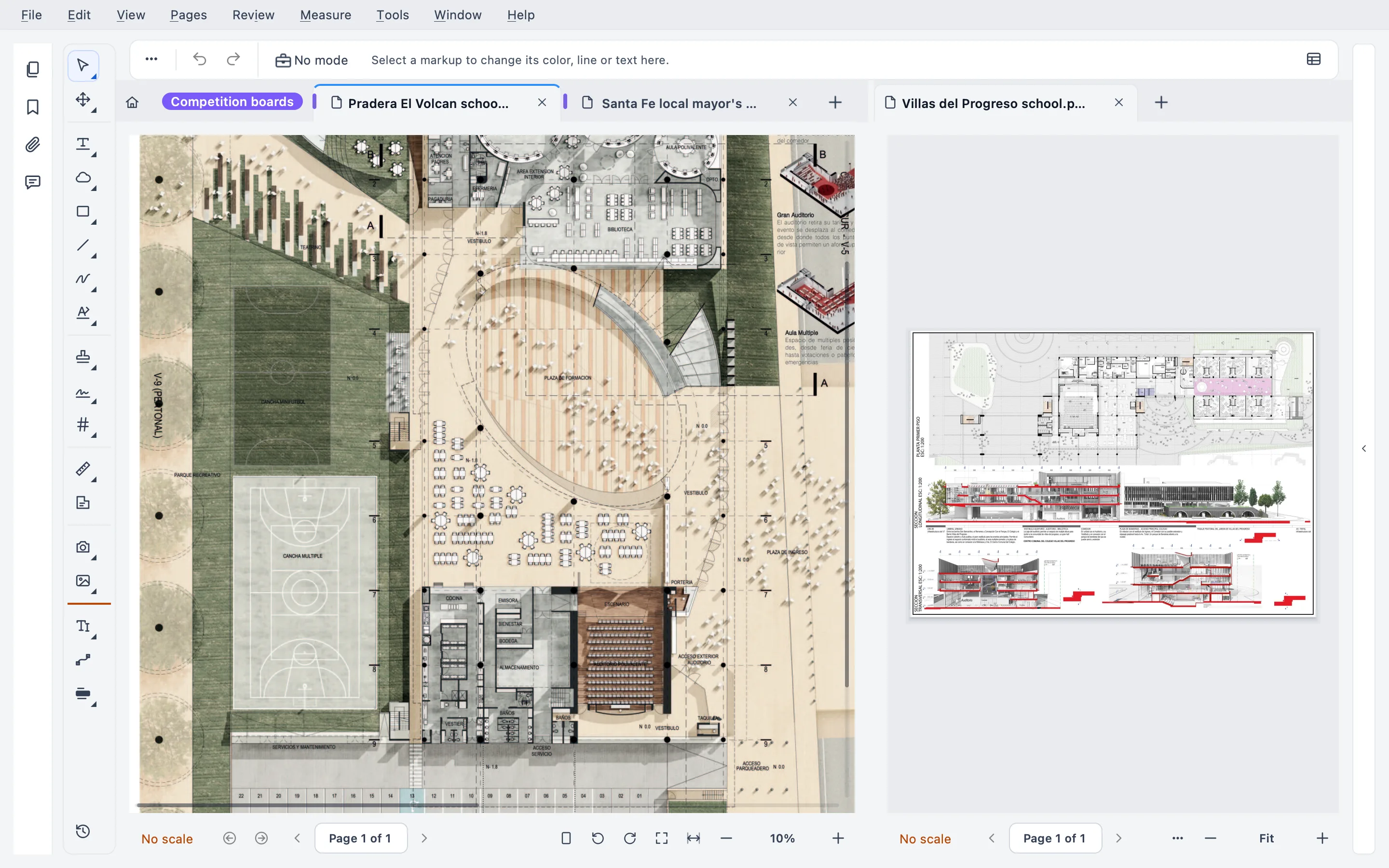
Heavy sets, no freezing
Pages are drawn in separate processes, so a heavy sheet never locks the window, and one that fails to draw can’t close it.
- Autosave, and recovery after a crash
- Sheet sets: many files read as one, with an index from the title blocks
- Tabs, tab groups and several windows at once
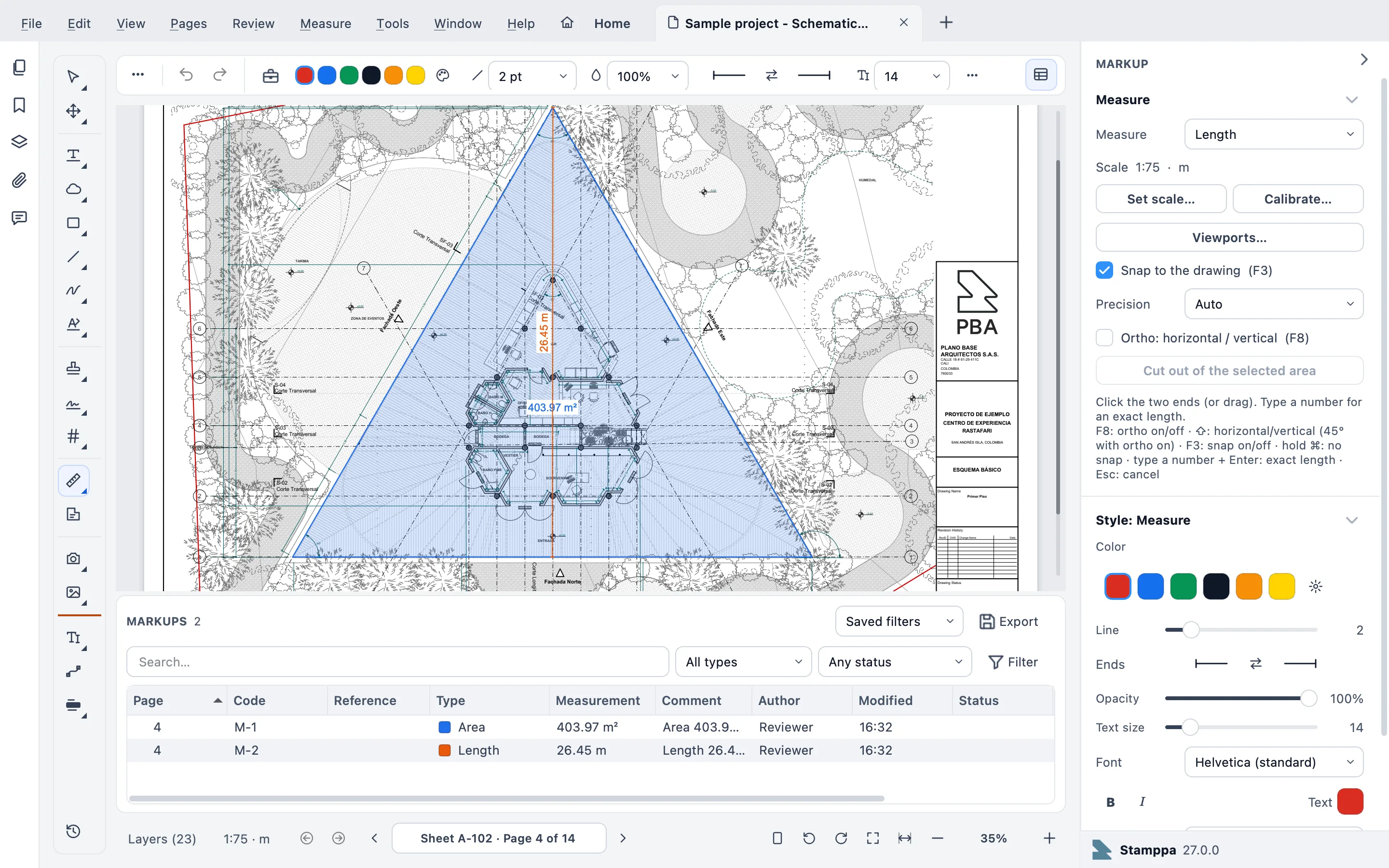
Measure and review
Set the scale once (or use the one already in the file) and measure to it. Every markup gets its own code, so M-0007 means the same thing in the list, the export and the meeting.
- Length, area, count and volume, snapping to the drawing’s lines
- A Bluebeam-style markups list with columns and saved filters
- Quantities to Excel
Compare revisions
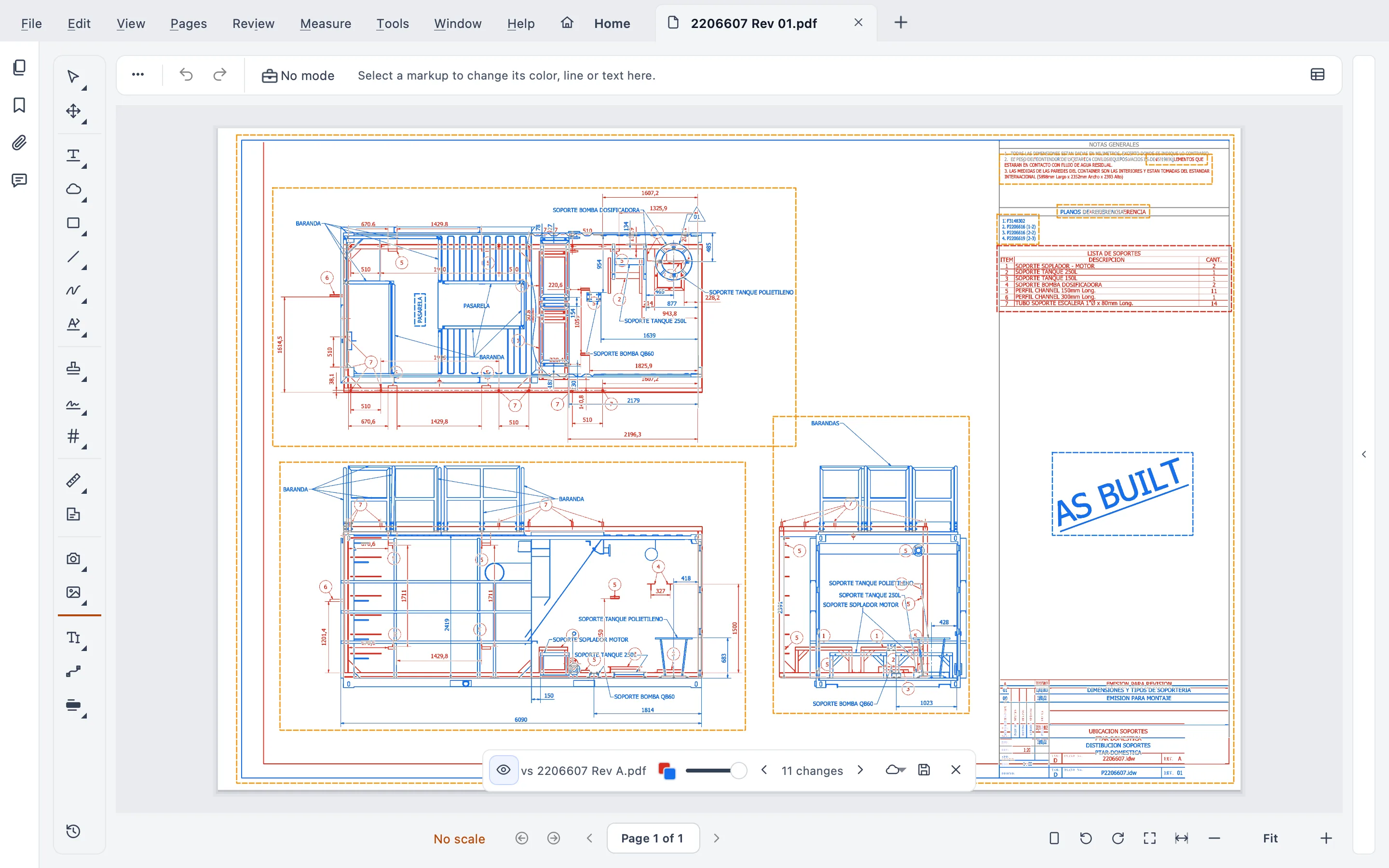
Live Compare shows what changed right on the sheet, with no extra PDF. Then slip-sheet the new revision in without losing your markups.
- Compare and slip-sheet a whole set at once
- Text compare: words added, removed or changed
- Replace a sheet and keep its markups
Also in the viewer
- Edit the drawing’s text by word, line or paragraph
- True redaction
- Forms
- Signatures and signature requests
- Printing with plot profiles
- Command palette (⌘K / Ctrl+K)
- Large scanned TIF files
Everything else
Hi. I’m a PDF viewer, and a fast one. Everything else here is a tool you can ignore until you need it.
Three of them, for the jobs before and after reading a set.
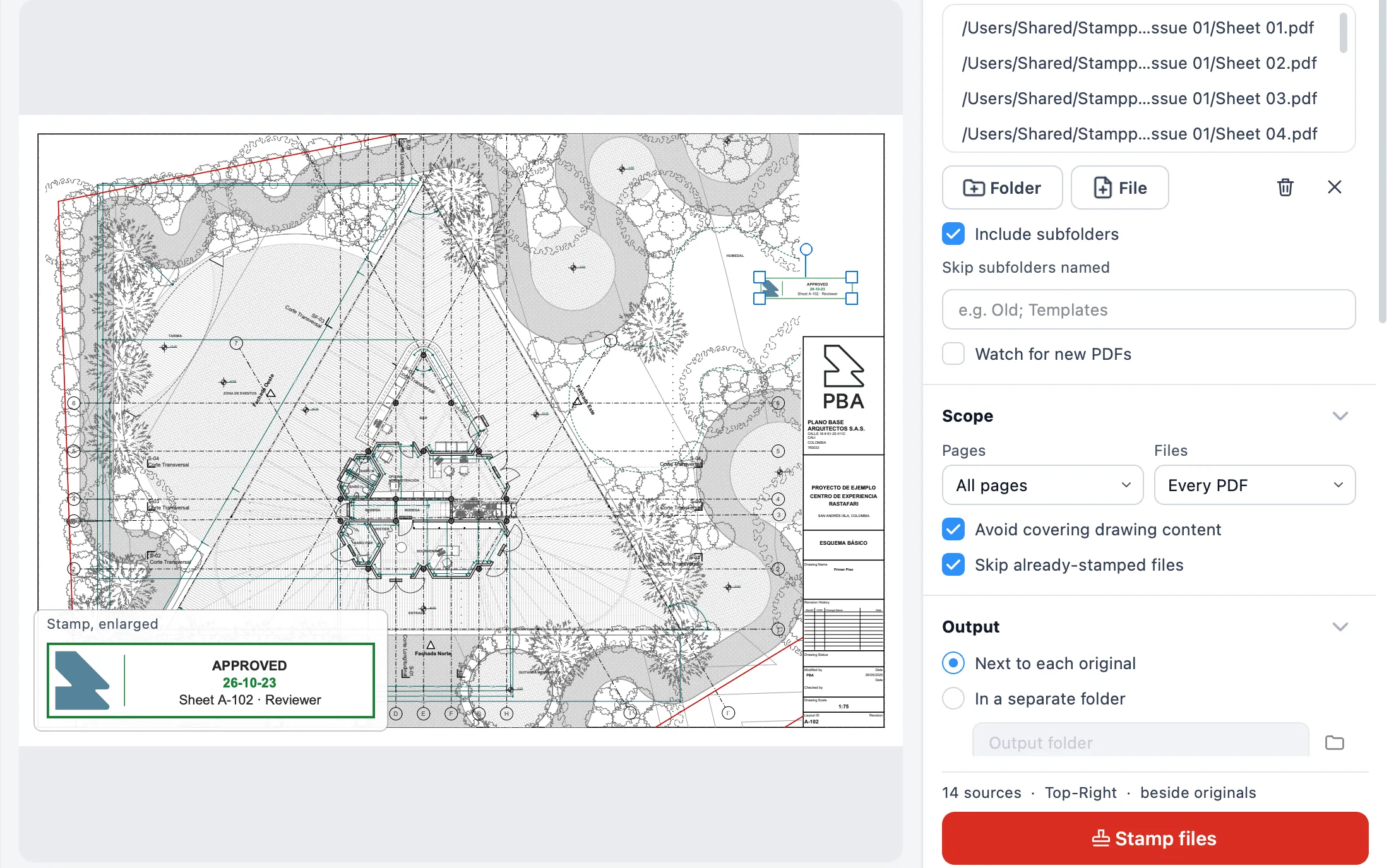
Batch Stamp
Where Stamppa, and its name, began. Stamp a whole set: Received, Approved, For Construction, with a record of what came in, what was approved and when.
More on Batch Stamp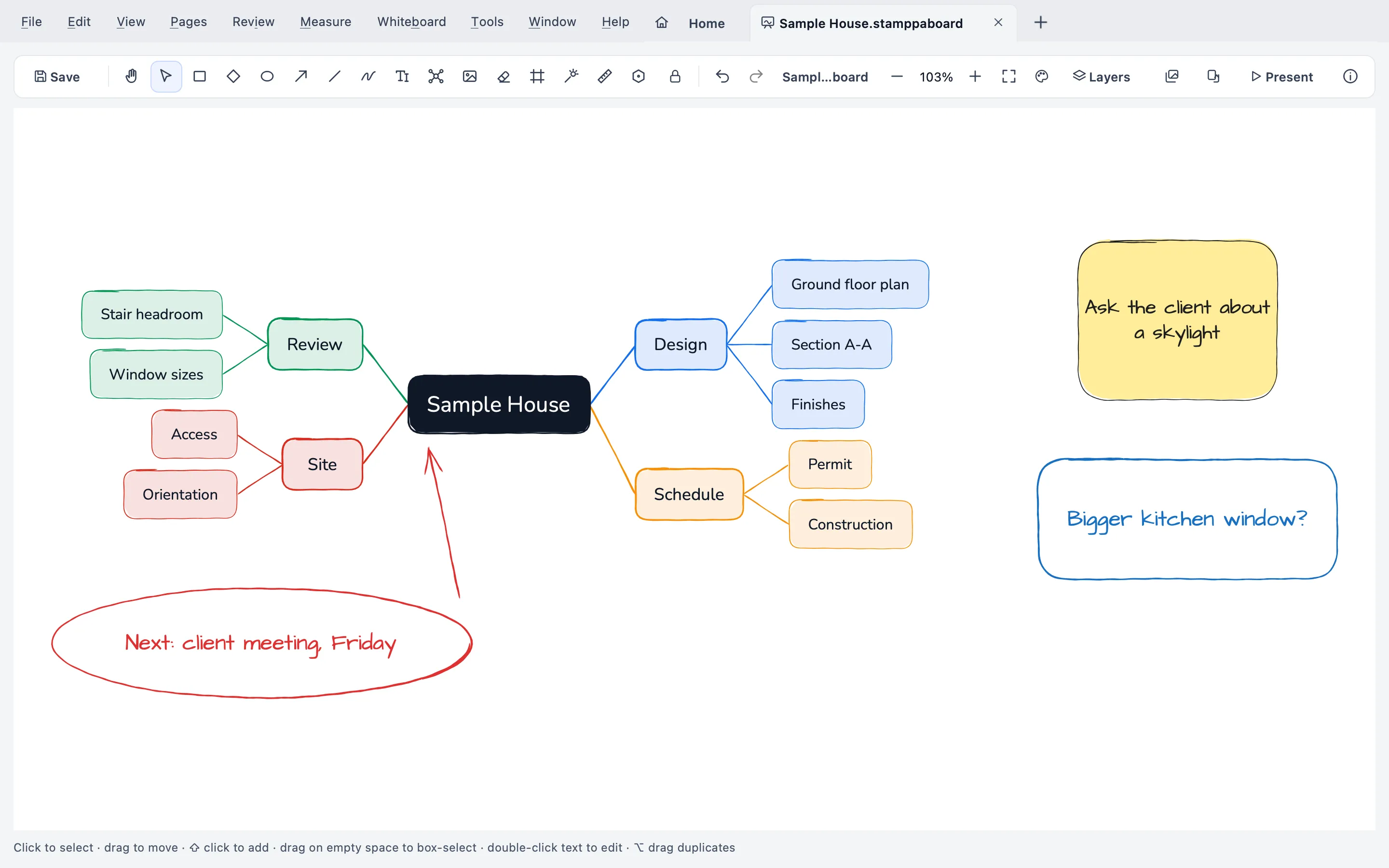
Whiteboard with mind maps
Sketch over a sheet at its scale, diagram a project or lay out a mind map, all on one board.
More on the WhiteboardPDF toolbox
Nine everyday PDF jobs, most of them on whole batches of files.

Who makes it
Made by a construction project manager, for real drawing sets
I’m Gus Mejía, a construction project manager. I built Stamppa for the drawing sets I review every day at Plano Base Arquitectos, where we use it for our own drawing control.
It started as a way to stamp hundreds of sheets at once. It became the PDF viewer I wanted. I still make it, and the support email comes to me.
Gus Mejía · Stamppa is published by Plano Base Arquitectos S.A.S.
About StamppaTry it, then decide
Nothing to lose by trying
14 days with everything
Every feature, started with just your email. No card.
Buy, or keep the free viewer
From US$39 a year at the Founder price, or US$12 a month, and that version is yours forever. Or don’t buy: Stamppa stays a free PDF viewer to view, search, print and comment.From €49 a year, VAT included, at the Founder price, or €13 a month, and that version is yours forever. Or don’t buy: Stamppa stays a free PDF viewer to view, search, print and comment.From £43 a year, VAT included, at the Founder price, or £11 a month, and that version is yours forever. Or don’t buy: Stamppa stays a free PDF viewer to view, search, print and comment.From CHF 45 a year, VAT included, at the Founder price, or CHF 12 a month, and that version is yours forever. Or don’t buy: Stamppa stays a free PDF viewer to view, search, print and comment.
Prices exclude tax. Polar calculates and charges your country’s tax at checkout.Price includes VAT. If you buy as a business with an EU VAT number, Polar removes it at checkout.Price includes VAT.Price includes VAT.
Prices in euros with VAT for your region.Prices in pounds with VAT for your region.Prices in Swiss francs with VAT for your region.
Prices in US$, plus tax.
Pay once a year, and that version is yours
Stamppa 27 stays yours forever, with every feature and every 27.x update, including the ones released after you cancel. If Stamppa 28 comes out while your license runs, 28 is yours too. On the monthly plan, after 12 months paid in a row.
| Stamppa | Bluebeam Revu | Adobe Acrobat | |
|---|---|---|---|
| Price per user | US$39 a year at the Founder price (first 100 customers), or US$12 a month | US$260–590 per year (4 plans) | US$19.99 per month, yearly plan (Pro) |
| If you stop paying | The version you paid for is yours forever, with every feature (monthly: after 12 months paid in a row) | Read-only: open, view, print | Back to the free Reader |
| Native Mac app | Yes (Apple Silicon) | No (Revu for Mac ended in 2023) | Yes |
Checked on October 22, 2026. Full pricing and comparison
Questions from people switching
What people ask before they move their drawing sets over.
Still unsure? Write to GusWill my Bluebeam and Acrobat markups survive?
Yes. Stamppa’s markups are standard PDF annotations, so Bluebeam and Acrobat show them. Markups travel both ways as XFDF, and a scale set in Acrobat or Bluebeam is read as is. What it doesn’t do: live cloud sessions, because there is no cloud.
Will it handle our heaviest sets?
Pages are drawn in separate processes, so a heavy sheet never locks the window, and one that fails to draw can’t close it. Unsaved work is recovered after a crash. Try it with your heaviest set. That’s what the 14 days are for.
Are my drawings uploaded anywhere?
No. Stamppa opens and saves files on your computer. It connects only to confirm your license and never sends your documents. No telemetry, no cloud.
What if I cancel?
On the yearly plan, Stamppa 27 stays yours forever, with every feature and every 27.x update, including the ones released after you cancel; on the monthly plan, once you have paid 12 months in a row. The yearly plan renews by itself at your same price, and you can cancel in one click. Your files and templates are never locked.
Who makes Stamppa?
Gus Mejía, a construction project manager, built it for the drawing sets he reviews every day at Plano Base Arquitectos, the studio that publishes it and uses it for its own drawing control. He still makes it and answers the support email himself. And the version you pay for keeps working whatever happens.
Why does Windows or macOS warn me when I install?
The installer is not code-signed yet (the certificates are on their way), so your system shows a warning the first time. The download page shows exactly what to click, and the SHA-256 to check the file is ours.
Does it work with drawings from AutoCAD or Revit?
Yes, with the PDFs they produce, including their CAD layers: turn them on and off, and hidden layers stay hidden.
Can it replace my PDF viewer?
That’s what it’s for: open your drawings with it every day. It can be your default PDF app, with “Open in Stamppa” on the right-click menu. The tools are there when you need them.
Open your next set in Stamppa
Free for 14 days with every feature. If you don’t buy, it stays a free PDF viewer.
Windows 10/11 · macOS (Apple Silicon)