For architects and builders on a Mac
A native PDF editor for drawings on Mac.
Stamppa is a PDF viewer and editor for construction drawing sets that runs natively on Macs with Apple Silicon: measure to scale, mark up, compare revisions and stamp whole folders, right from the Finder.
Installs on Windows 10/11 and Mac (Apple Silicon). Send yourself the link.
Free for 14 days with every feature, just your email, no card. If you don’t buy, it stays a free PDF viewer.
- Runs on
- macOS 12+ on Apple Silicon
- Revu for Mac
- End of life June 28, 2023
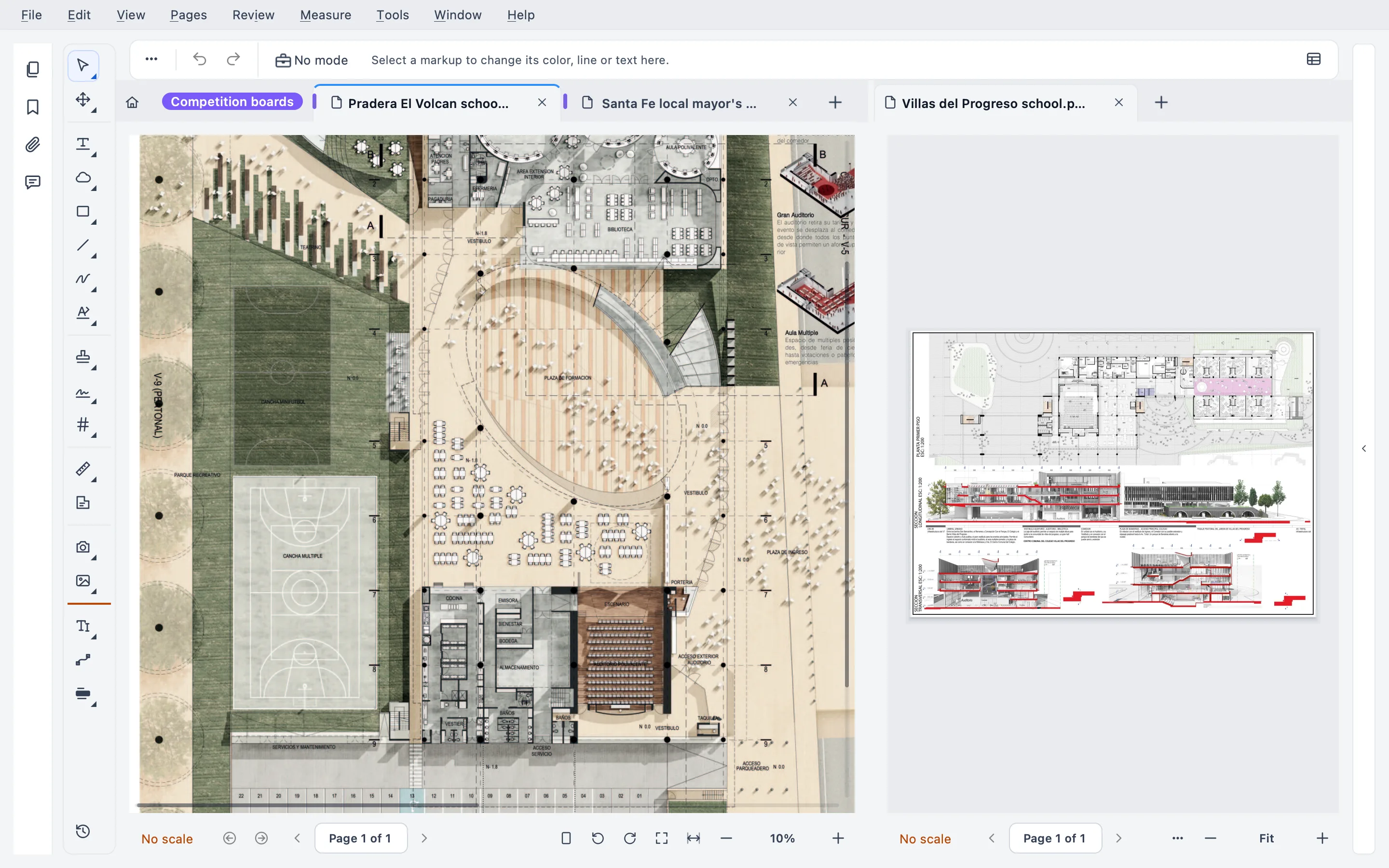
At home on macOS
Built into the Mac, not ported to it
The same Stamppa as on Windows, wired into what makes a Mac a Mac.
Finder Quick Actions
Right-click files in the Finder, then Quick Actions. Stamppa adds these on its first start; Help ▸ Finder integration… switches them off any time.
OCR with Apple Vision
Scanned sheets become searchable with macOS’s own text recognition. Nothing extra to install.
The Mac menu bar
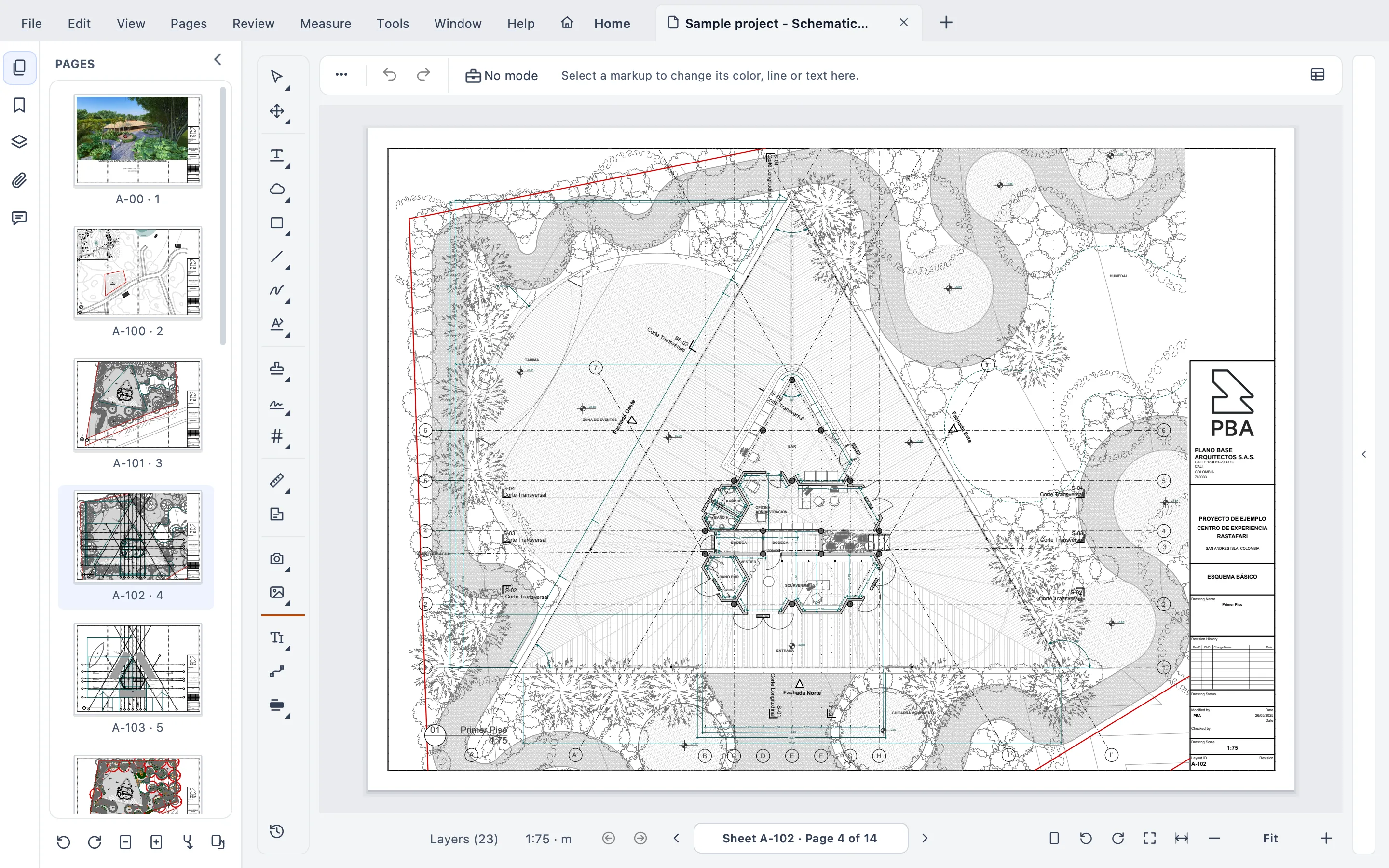
File, Edit, View, Pages, Review, Measure, Tools, Window and Help live in the system menu bar, organized by workflow.
Quick Look
Signatures and stamps added in Stamppa look right in Quick Look, before you even open the file.
Printing to each sheet’s paper
“Match each drawing” prints every sheet on its own paper size, and whole sets print in sheet order.
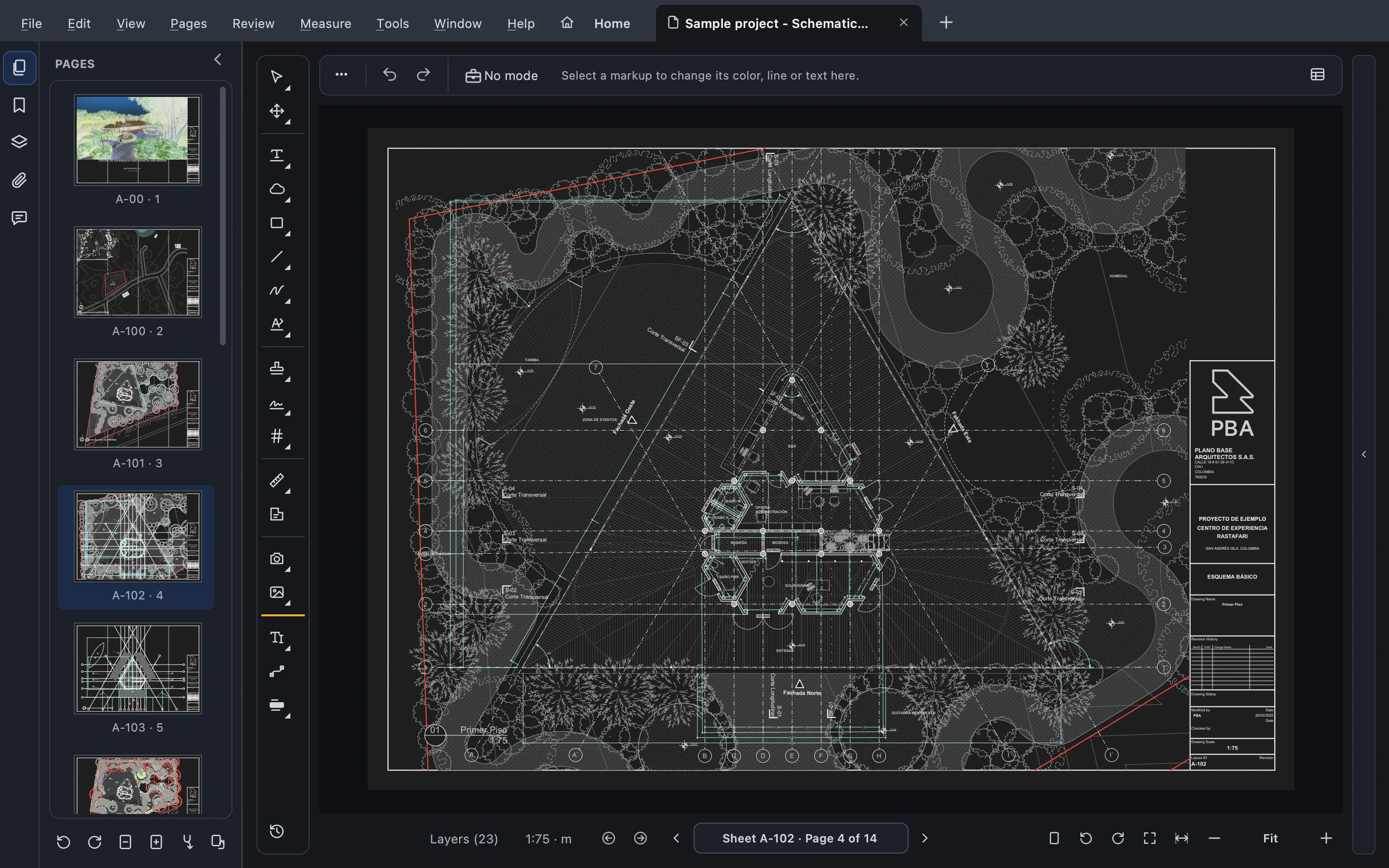
Dark mode
A dark interface, plus an optional dark paper on screen only. Your files stay as they are.
Your default PDF app
Set Stamppa as the default for PDFs. However many files you open, they land in one app, in tabs.
Mac and Windows
One app on both, not a lighter Mac edition
Same features
One codebase since version 4: every tool on Windows is on the Mac, and the full test suite runs on both.
Same files
Standard PDFs and markups, so a set marked up on a Mac opens on a colleague’s PC as it is.
Same license
Each person can use Stamppa on up to 3 computers, Mac or Windows.
What it costs
The same price on Mac and Windows
Pay once a year and Stamppa 27 is yours forever, with every 27.x update, including the ones released after you cancel. It renews at your same price. There is a monthly plan too: after 12 months paid in a row, that day’s version is yours.
Prices in US$, excluding tax.Prices in euros, VAT included.Prices in pounds, VAT included.Prices in Swiss francs, VAT included.
Founder price · first 100 customers
One license covers both. Full pricing
Free for 14 days with every feature, just your email, no card.
Questions from Mac users
Ask Gus anything elseDoes Stamppa run natively on Apple Silicon?
Yes. macOS 12 or later on Apple Silicon (M1 and newer). It does not run on Macs with Intel processors.
Is the Mac version the same as the Windows one?
Yes. Stamppa has one codebase for Windows and macOS, with the same tools, the same files and the same license: each person can use it on up to 3 computers, Mac or Windows.
Can I still use Bluebeam Revu on a Mac?
Not as a Mac app. Bluebeam set the end of life of Revu for Mac on June 28, 2023, and points Mac users to Bluebeam on the web and mobile, or to Revu for Windows on a Mac through Boot Camp or Parallels. Stamppa runs natively on Macs with Apple Silicon and opens your Revu PDFs with their markups.
What can I do from the Finder?
Right-click files and choose Quick Actions: Open in Stamppa, Convert to PDF (for Word, Excel and PowerPoint files), Convert PDF to Office, Print with Stamppa (sheets in order) and Run a Stamppa action (chained batch actions on PDFs or folders). Help ▸ Finder integration… turns them off.
Will macOS let me open it?
Yes. Stamppa is signed for macOS, so it opens like any other app.
Put your drawing sets on your Mac
Free for 14 days with every feature. Right-click a set in the Finder and open it in Stamppa.
Windows 10/11 · macOS (Apple Silicon)