Can you use Bluebeam on a Mac? Options in 2026
Revu for Mac reached end of life in 2023. Parallels, a separate Windows PC, Bluebeam on the web or another app: the pros and cons of each, with sources.

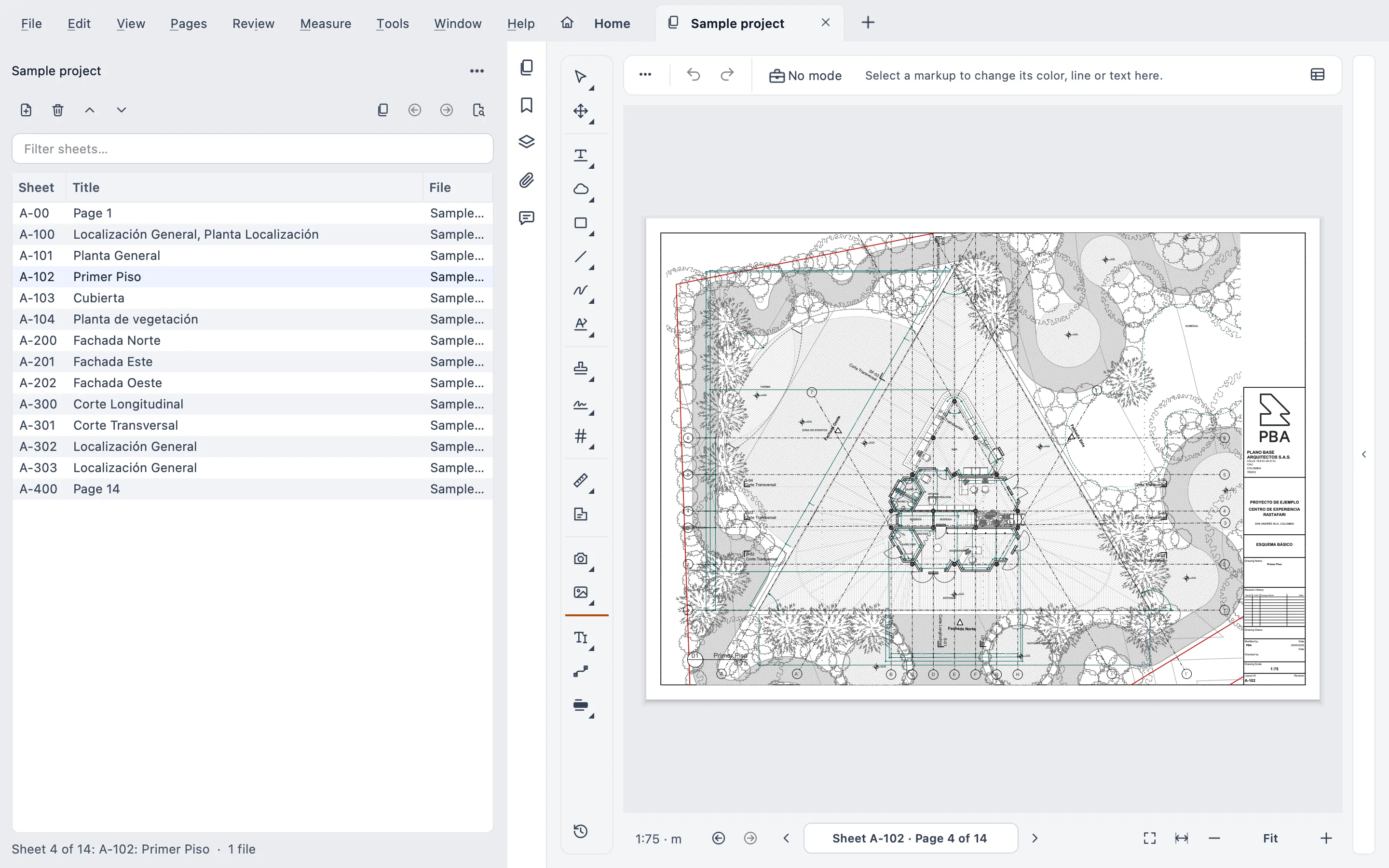
Yes, but not as a Mac app. Bluebeam stopped offering Revu for Mac: end of life was June 28, 2023. If you work on a Mac today, you have four paths: run Revu for Windows inside the Mac, keep a separate Windows PC, use Bluebeam on the web, or switch apps. None of them is free in time or money. Here’s why.
I’m Gus Mejía, construction project manager at Plano Base Arquitectos, and I built Stamppa, which is one of those other apps. So no, I’m not neutral. That’s why every fact about Bluebeam, Apple, Microsoft or Parallels comes from their own pages, with the link and the date at the end. I work on a Mac, so this one hit close to home.
What happened to Revu for Mac
Bluebeam set the end of life of Revu for Mac on June 28, 2023. From that day it stopped development, stopped selling new seats, and Revu for Mac lost access to Studio. License registration may keep working, but Bluebeam says it can’t guarantee it.
Bluebeam’s page for Mac users is blunt about it: Revu is a Windows desktop application and isn’t supported as a native macOS app. Revu for iPad was also removed from sale and support at the end of 2025.
In one line: if you open an old Revu for Mac today, nobody is going to fix it.
The four options people use
I’ve seen all four on real projects. People who put Windows on their Mac just for Bluebeam. People who keep a separate Windows PC just to review drawings. And people who move to another Mac app, even one that isn’t made for drawings.
1. Parallels: Revu for Windows inside the Mac
This is the option Bluebeam mentions most. You install Parallels Desktop, set up Windows 11, and install Revu for Windows inside it.
The good:
- It’s full Revu, with Studio and the Markups list. Nothing changes for your team.
- Bluebeam announced in June 2025 that since Revu 21.6, Revu runs natively on ARM processors, including through Parallels on M-series Macs.
- Microsoft authorizes Parallels Desktop 18, 19 and 20 to run the ARM versions of Windows 11 Pro and Enterprise on M1, M2 and M3 Macs. Parallels says its current versions also run on M4 and M5.
The bad:
- You pay for three things: Parallels, a Windows 11 Pro license (Parallels doesn’t include one, and Windows 11 Home isn’t part of the authorized setup) and your Bluebeam subscription.
- Bluebeam says it’s possible, but that it can’t extensively troubleshoot or resolve issues in Boot Camp or Parallels. If something breaks, it’s on you.
- The Bluebeam PDF printer doesn’t support virtualization, per the Revu 21 requirements.
- Windows and macOS run at the same time, so your Mac’s memory gets split between them. Revu alone asks for 8 GB minimum.
What about Boot Camp? It doesn’t exist on Apple Silicon Macs. Apple’s Boot Camp page lists only models with an Intel processor. If your Mac has an M chip, you’re down to Parallels or a similar virtual machine.
2. A separate Windows PC
Revu runs the way it was designed, and Bluebeam supports it fully. That counts.
The flip side: now you have two computers, two machines to update, and drawings going back and forth between them. It’s like cooking in two kitchens. Dinner gets made, but half the afternoon goes to carrying pots.
3. Bluebeam on the web (and the iOS app)
Every Bluebeam plan includes Bluebeam on web and mobile. The web version runs in your Mac’s browser with nothing to install, and it lets you join Studio Sessions.
For markups, it does the job: rectangles, clouds, callouts, text boxes, pen and highlighter can all be created and fully edited. For measuring, it falls short. You get length, area, polylength and count (count only from the Core plan up), and the scale has to be set in Revu first. You can’t calibrate on the web. Stamps, digital signatures and Sketch to Scale markups show up, but you can’t edit them.
The Bluebeam iOS app lets you join Studio Projects and Sessions, with a limited set of markups. Bluebeam says Apple Silicon Macs that run iOS apps can install that same app.
In other words: the web is a clean shot if your job is marking up and reviewing in Studio. If your job is measuring and stamping, it’s aimed somewhere else.
4. Switching apps
That’s what I did. I wasn’t going to keep a Windows machine around just to review drawings.
Pick carefully. Plenty of Mac PDF editors mark up a document just fine, but they aren’t made for drawings: no scale, no Markups list, no revision compare. I compared them one by one in Bluebeam alternatives for construction drawings, so I won’t repeat the table here.
Where Stamppa fits
Stamppa is a fast PDF viewer for drawing sets, and it runs natively on Apple Silicon Macs. No Windows, no virtual machine. What matters most if you’re coming from Revu on a Mac:
- The same files on Windows and Mac. The same app runs on Windows 10/11, and each person can use it on up to 3 computers. Markups are standard PDF annotations, so your Revu markups open in Stamppa and the other way around. XFDF goes in and out through Review ▸ Markups.
- Works offline. It connects only to confirm your license and never sends your documents.
- Made for drawings. A Bluebeam-style Markups list with codes like M-0007, measuring to scale (it reads the scale set in Acrobat or Bluebeam), Live Compare of revisions, Batch Stamp, and certificate signing straight from the macOS Keychain.
- A real Mac app. Finder Quick Actions, and it can be your default PDF app.
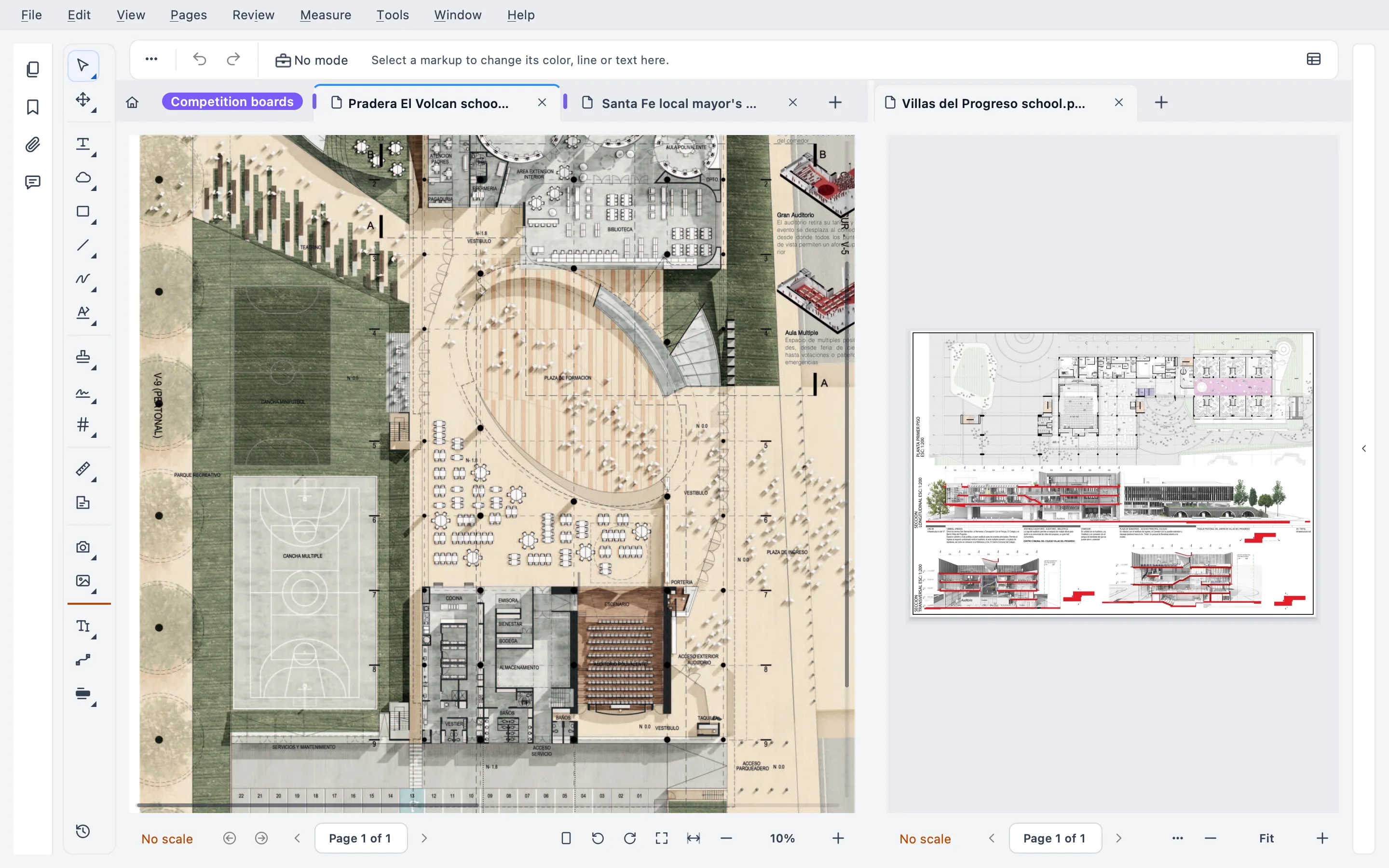
Now, what it doesn’t have. Sorry, but there are no live sessions like Bluebeam Studio: Stamppa works through files, so you send out a review round and the markups come back into your PDF. There’s no iPad app. And on the Mac it runs on Apple Silicon only, not on Intel Macs.
How to decide
This is my opinion, not a rule:
- If your team lives in Studio Sessions, stay with Bluebeam and use Parallels or the web. Studio’s live collaboration is a real advantage.
- If you only open Revu to mark up now and then, try Bluebeam on the web first. You’re already paying for it.
- If you measure, compare and stamp every day on a Mac, try a native app. Your future self, the one who doesn’t have to update Windows inside the Mac on the morning of a deadline, will thank you.
Stamppa has a 14-day trial with every feature, just with your email. Open your heaviest set. That’s what it’s for.
If something doesn’t line up with how your team works, email us.
Tested with Stamppa 27.0.0.
Sources
All checked on October 23, 2026.
- Bluebeam, Revu for Mac end of life (date, Studio, recommendations, support in Boot Camp and Parallels): https://support.bluebeam.com/articles/revu-for-mac-end-of-life-eol-announcement/
- Bluebeam on Mac (Revu as a Windows app, Parallels, the web, the iOS app on Apple Silicon Macs, Revu for iPad ending at the end of 2025): https://www.bluebeam.com/bluebeam-on-mac/
- Bluebeam press release, June 10, 2025 (Revu native on ARM and through Parallels on M-series Macs): https://press.bluebeam.com/2025/06/bluebeam-advances-aec-workflows-with-seamless-integrations-markup-feature-enhancements-and-faster-performance/
- Bluebeam, Revu 21 system requirements (ARM support since 21.6, 8 GB of memory, PDF printer without virtualization): https://support.bluebeam.com/revu/resources/compatibility-system-requirements-21.html
- Bluebeam pricing (web and mobile included in every plan): https://www.bluebeam.com/pricing/
- Bluebeam, markup compatibility on the web: https://support.bluebeam.com/bluebeam-cloud/resources/markup-compatibility.html
- Bluebeam, measuring on the web: https://support.bluebeam.com/bluebeam-cloud/how-to/how-to-add-measurements-in-bluebeam-cloud.html
- Microsoft, options for using Windows 11 with M1, M2 and M3 Macs: https://support.microsoft.com/en-US/Windows/Experience/Platform-variants/options-for-using-windows-11-with-mac-computers-with-apple-m1-m2-and-m3-chips
- Parallels, Windows 11 on Apple Silicon Macs (authorized editions, M4 and M5, Windows license not included): https://www.parallels.com/windows-11-arm-apple-m-series/
- Apple, install Windows with Boot Camp Assistant (Intel models only): https://support.apple.com/en-us/102622
- Stamppa features: release notes for 27.0.0, https://stamppa.com/changelog/#27.0.0
Questions
Does Bluebeam Revu work on an M1, M2 or M3 Mac?
Not as a Mac app. Revu for Mac reached end of life on June 28, 2023. On an Apple Silicon Mac, Revu for Windows runs inside Windows 11 on ARM with Parallels Desktop. Bluebeam says Revu runs natively on ARM since version 21.6, but it also warns it can't extensively troubleshoot issues in those setups.
Can I use Boot Camp to run Revu?
Only on a Mac with an Intel processor. Apple's Boot Camp page lists Intel models only. On an Apple Silicon Mac, the way in is a virtual machine such as Parallels Desktop.
Can Bluebeam on the web replace Revu on a Mac?
For markups and joining Studio Sessions, mostly yes. For the rest, no: on the web it measures length, area, polylength and count (count from the Core plan up), the scale has to be set in Revu first, and stamps and digital signatures can't be edited.
Is there a native Mac alternative to Bluebeam?
Yes, several. Stamppa runs natively on Apple Silicon Macs and on Windows 10/11, works offline and opens the same PDFs on both. It has no live sessions like Studio and no iPad app.
Will my Revu markups show up in a Mac app?
Markups saved inside the PDF are standard annotations, so Stamppa and most PDF apps show them. Stamppa also imports and exports XFDF. What it doesn't read is .bax, Bluebeam's own markup export.