Construction contract documents: what binds you
Drawings and specs are contract documents. Submittals and RFIs usually aren't, but they carry weight in a claim. What binds you and how to control it.

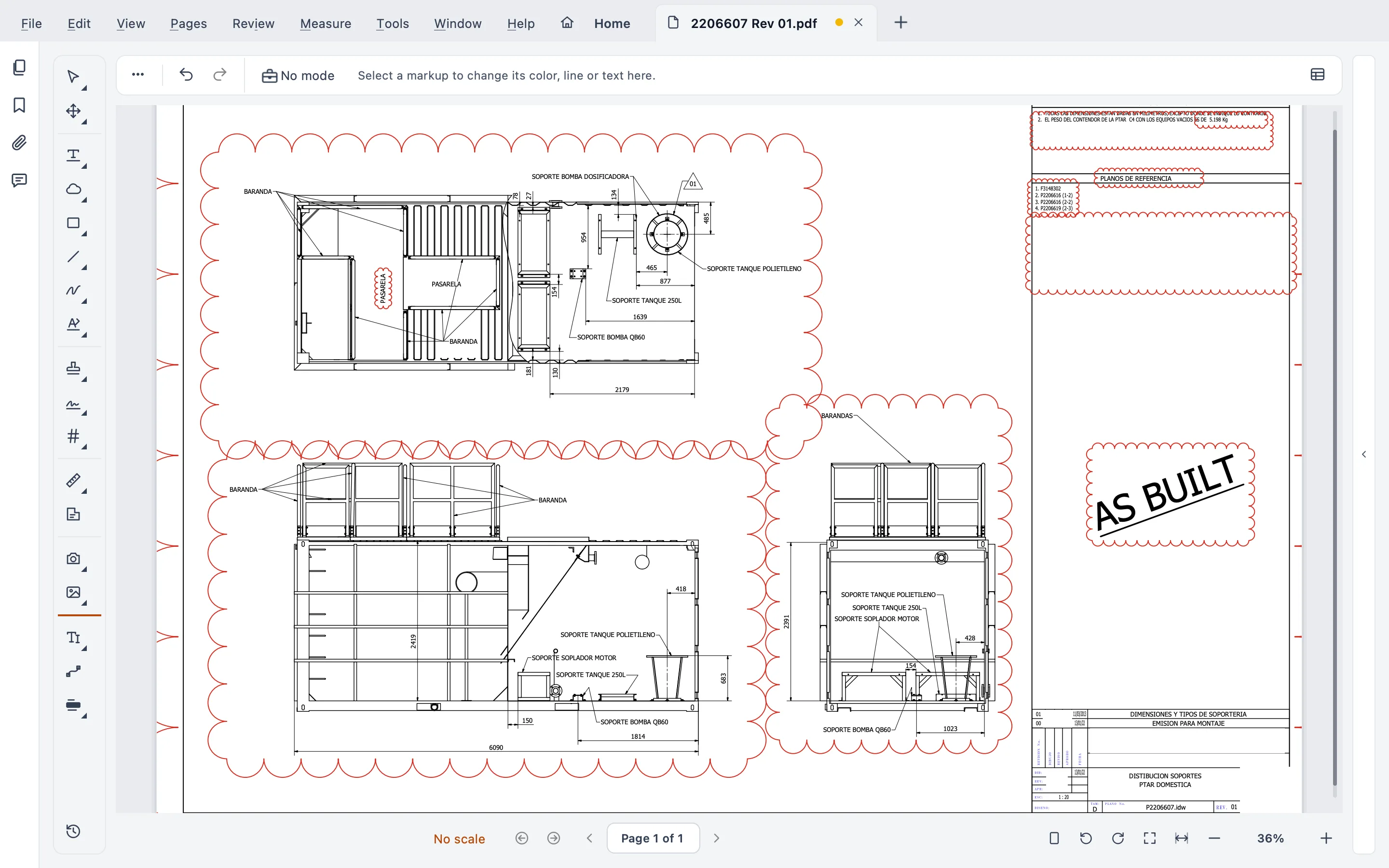
Short answer: the drawings and the specifications bind you, because on a typical project they’re Contract Documents, together with the signed agreement, the conditions, the addenda and any later modifications. Shop drawings, other submittals (what the contractor sends for approval) and RFI answers (responses to its formal questions) almost never are, on their own. But they carry weight. The work has to match approved submittals, and the RFI trail is the first thing everyone pulls out when a claim or a delay is argued. That’s why all of them get controlled with the same care.
I’m Gus Mejía, construction project manager at Plano Base Arquitectos. We run our drawing control in Stamppa, the app this site is about. This guide is what I explain to every new field engineer, written down once so I can stop repeating it. It’s general information, not legal advice. Contracts differ, and the one that counts is the one you signed.
A note on where these clauses come from. The clauses I cite come from the US standard forms (AIA, ConsensusDocs, EJCDC), the best-documented reference in the trade. In Latin America, where I work, contracts usually follow local law (public procurement law, the civil or commercial code) and the owner’s own forms, and sometimes international forms like FIDIC. The underlying ideas almost always carry over. The clause numbers don’t.
I’ve seen it both ways: an RFI answered verbally that nobody put in writing, and an old sheet that kept circulating on site. Both cost time and money. A log would have prevented both.
What each document is, in plain words
Drawings. The graphic part of the design: plans, sections, elevations, details, schedules. They show what gets built, where and how big.
Specifications. The written part: materials, products, quality standards, testing, procedures. On many projects they live in a project manual or spec book.
Addenda. Changes to the drawings or specs issued during bidding, before signing. Once the contract is signed, the addenda are part of it.
Change orders and modifications. The ways the contract changes after signing. In AIA A201 a “Modification” can be a written amendment signed by both parties, a change order, a construction change directive, or a written order from the architect for a minor change. That minor change can’t touch the price or the time (in the US it’s often issued on AIA’s G710 form, Architect’s Supplemental Instructions, or ASI). In Latin America the names change: otrosí, amending contract, change order, additional work. What matters is that it’s in writing and signed by someone with authority.
Submittals. What the contractor sends to show how it will meet the contract. A201 names three kinds: shop drawings (drawings, diagrams and schedules prepared for this project by the contractor or a subcontractor), product data (catalog sheets and data sheets marked up with what was chosen) and samples (physical examples, including mock-ups, that set the standard the work is judged by).
RFIs (requests for information). The contractor’s formal question when something in the documents is unclear, missing or in conflict. Under A201 §4.2.14, the architect answers in writing and, if needed, issues supplemental drawings and specifications.
Transmittals. The record of what was sent, to whom, when and why: which sheets, which revision, for approval or for construction. A transmittal doesn’t change anything by itself, but it proves who had which version on which date.
What is actually a Contract Document
My site rule and the standard forms agree on the substance. They differ on one word.
In AIA A201-2017 §1.1.1, the Contract Documents are the signed agreement, the conditions, the drawings, the specifications, the addenda issued before signing, other documents listed in the agreement, and modifications issued after signing. ConsensusDocs 200 and the EJCDC forms use similar lists. That’s why drawings and specs are binding: the contractor agreed to build what they show, at the agreed price and time.
Submittals are different. A201 §3.12.4 says it plainly: shop drawings, product data, samples and similar submittals are not Contract Documents. Their job is to show how the contractor proposes to comply. EJCDC C-700 goes further: submittals, approved or not, are not Contract Documents. And AIA’s own guidance puts it the same way: generally, submittals are not part of the contract documents.
RFIs, in general, aren’t either, because an RFI is a question and the answer clarifies. If the answer changes scope, price or time, it has to come out as a modification. Marc A. Sanchez, a construction lawyer, says so in his article for NASBP: don’t proceed on an RFI answer that changes cost or time until it’s documented that way. Some contracts, though, say RFI responses become part of the contract. Read the definition in yours.
Why submittals and RFIs still carry legal weight
“Not a Contract Document” doesn’t mean “doesn’t matter.” There are three reasons:
- The work has to match approved submittals. A201 §3.12.8 requires the work to follow approved submittals. An approval doesn’t relieve the contractor of a deviation from the contract unless the contractor pointed it out when submitting and it was approved as a minor change or by a change order or change directive. Sanchez describes the modern trend: an approved submittal that asks for less than the contract doesn’t reduce the contract, and one that asks for more may add to the contractor’s obligations.
- They are the record of who knew what, and when. In a delay or a claim, the dates rule: when the RFI was sent, when it was answered, when the submittal came back and with which review action. The RFI log is the work you show on a math test: when the answer comes out wrong, nobody argues the answer, everybody checks the steps. A log with real dates is evidence. A memory isn’t.
- They turn into modifications. Many change orders start as an RFI. If the RFI and its answer can’t be found, the change order is harder to price and harder to defend.
So my site rule holds: drawings, specs, submittals and RFIs all matter legally, and all of them get logged and controlled. In other words, the precise version: drawings and specs bind you because they are the contract; submittals and RFIs bind you through what the contract says about them, and through the record they leave.
I’ve also had an RFI answer end up as a change order, and an approved submittal that didn’t match the specs. In both cases, what kept the discussion in order was having every document logged with its date. Not my memory.
When documents conflict: order of precedence
What governs depends on the contract. And sooner or later a detail will say one thing and the spec another:
- AIA A201 treats the documents as complementary: what one requires is as binding as if all required it. It has no order of precedence by default, because AIA prefers that the architect interpret. Its guide for supplementary conditions offers model language for anyone who wants a hierarchy.
- ConsensusDocs 200 does include an order of precedence clause.
- US federal contracts (FAR 52.236-21): if the drawings and the specifications differ, the specifications govern.
- FIDIC sets its own hierarchy of documents.
- In Latin America, many public and private contracts carry a precedence clause of their own, and local law may have rules of interpretation.
The practical answer is always the same: find the clause in your contract and, when you find a conflict, send an RFI instead of deciding in the field.
I know the temptation on site is to settle it right there so the crew doesn’t stop, and I think the foreman’s fix is often the right one. But a one-line RFI takes less time than defending, later, a decision nobody authorized in writing. Write it.
The practical control, on any project
This is the minimum I ask for, whatever software you use. It’s a recommendation, not a rule:
- Only the current revision in the field. The set on site is the set in force. Old sheets come out.
- Superseded sheets marked and kept. Don’t delete them: stamp them “Superseded” and archive them. You may have to prove what was built from what.
- Every submittal and RFI logged with dates. Number, subject, sent, due, returned, review action, who answered.
- Review stamps and responses kept. The stamp on the shop drawing (“Approved”, “Approved as noted”, “Revise and resubmit”) is the decision. Keep the stamped copy.
- Compare between revisions. A revision cloud is the designer’s courtesy, not a guarantee. Check what really changed.
- A transmittal for everything that goes out. What, to whom, which revision, what date.
- Signed and archived copies. Issued sets signed, and archived in a format meant to last, such as PDF/A.
At Plano Base we keep an Excel log and a folder per document, with the stamped PDF. It works, and the credit goes to the team that keeps it up to date. But it depends on everyone’s discipline, and that wears people down. That’s why in Stamppa we’re building document control for drawings, specs, RFIs and submittals in one place.
How Stamppa helps with this control
Stamppa keeps the drawings themselves under control, on your computer, with no cloud. It’s a PDF viewer for drawing sets with review tools. It doesn’t replace your contract, your lawyer or a full project-management platform.
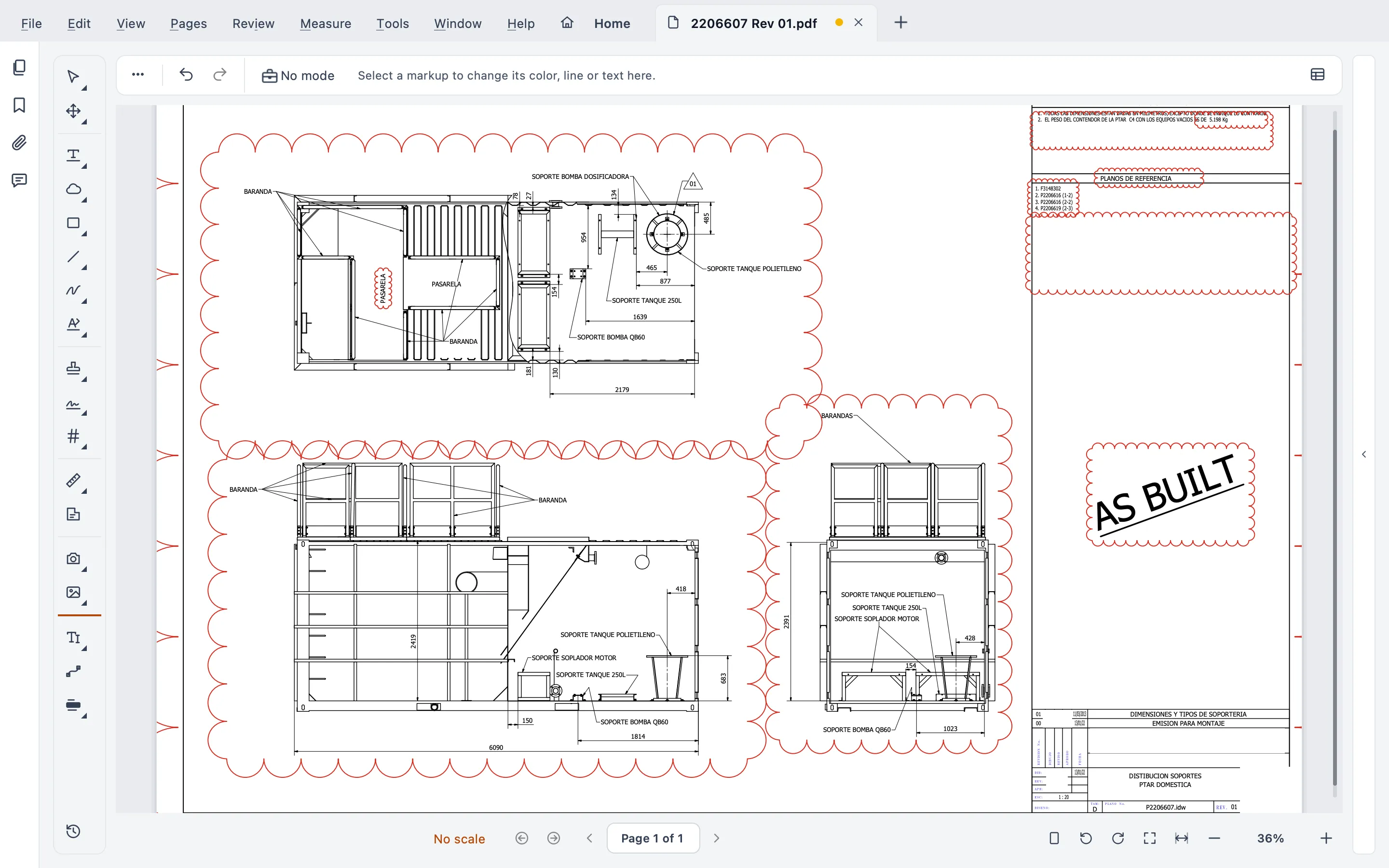
Compare revisions. Open the new revision, choose the old one, and the differences appear on the sheet, live, with your markups keeping their own colors. You can turn the changes into revision clouds in one step, compare the text (words added, removed, changed), or compare and slip-sheet a whole set. See compare drawing revisions and the Help steps.
Markups with codes, in one list. Every markup gets a code (M-0007) and your own reference, so you can write “see M-0007, RFI 014” and find it later. The Markups list has custom columns, column filters and saved filters, markup layers per reviewer or discipline, and summaries of many files at once to PDF, CSV or Excel. See PDF markup for drawings.
Batch Stamp with dynamic fields. Stamp whole folders in one run with fields like {date}, {sheet}, {rev} and {seq}, with a check before every run, one-click undo and an optional transmittal CSV, where {seq} can number your transmittals. Turn on the archive option and the previous file with the same name moves to a Superseded folder instead of being overwritten. See batch stamp PDF drawings.
Review round trips. Send a set to a consultant or the client, and their markups merge back into your document. Reviewers use the free viewer.
Sheet sets and set check. Many files navigated as one document, with a sheet index read from the title blocks. Before you issue, set check looks for broken callouts and references, the index against the sheets, scales, revision dates that don’t match and missing sheets, with a PDF or CSV report. No AI.
Signatures with certificates, and PDF/A. Sign with a certificate (PAdES), also a whole set at once, from a .pfx file or straight from the macOS Keychain or the Windows certificate store, with long-term validation (LTV). Request signatures from other people in order, recorded inside the PDF. A drawn signature doesn’t prove who signed; a certificate signature does. Then save archive copies as PDF/A: Stamppa checks the file after writing it and tells you when a file can’t be made PDF/A. If your jurisdiction requires a specific type of signature or certificate on drawings, check the local rules or your licensing board’s.
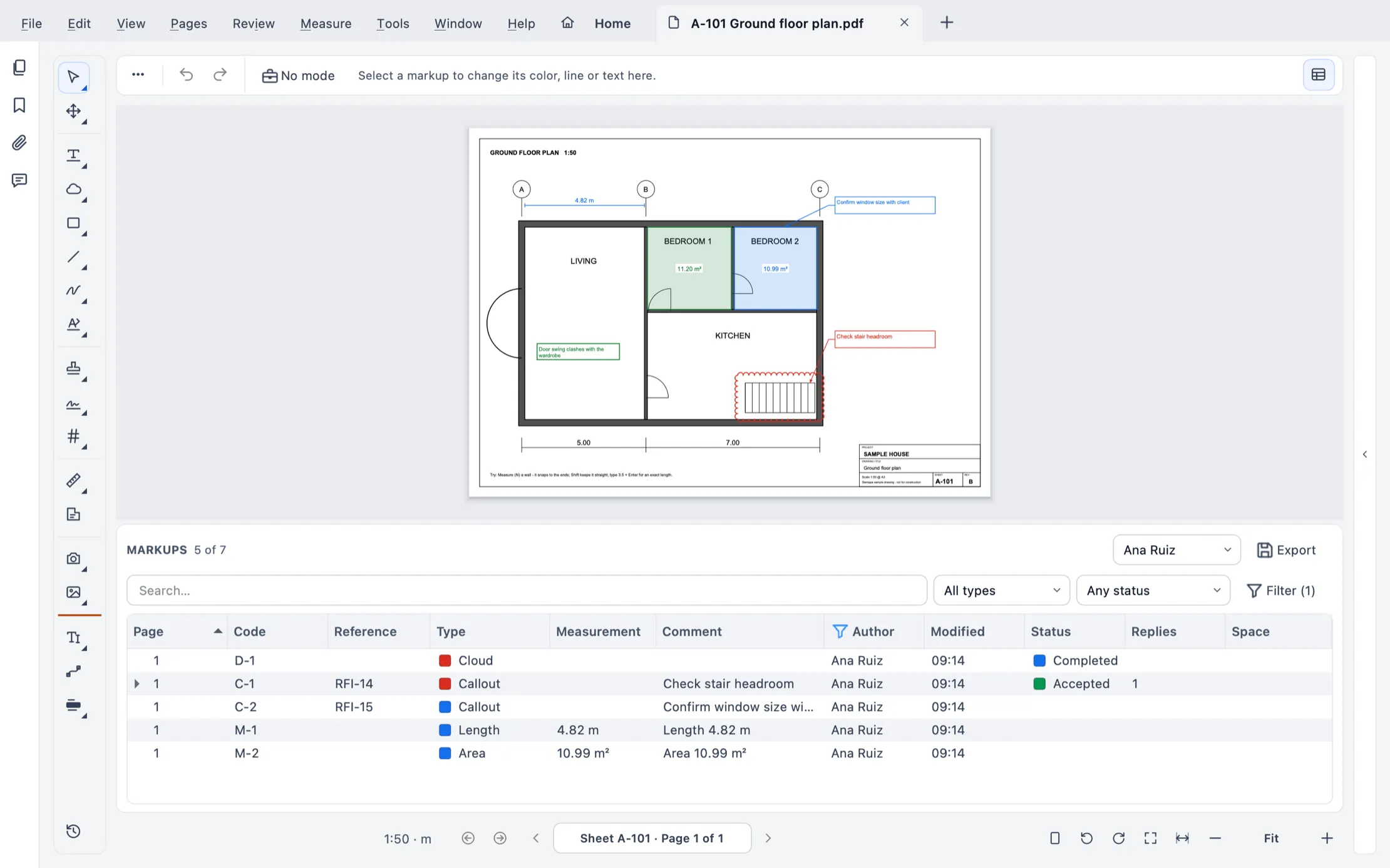 The Markups list with codes, references and a saved filter.
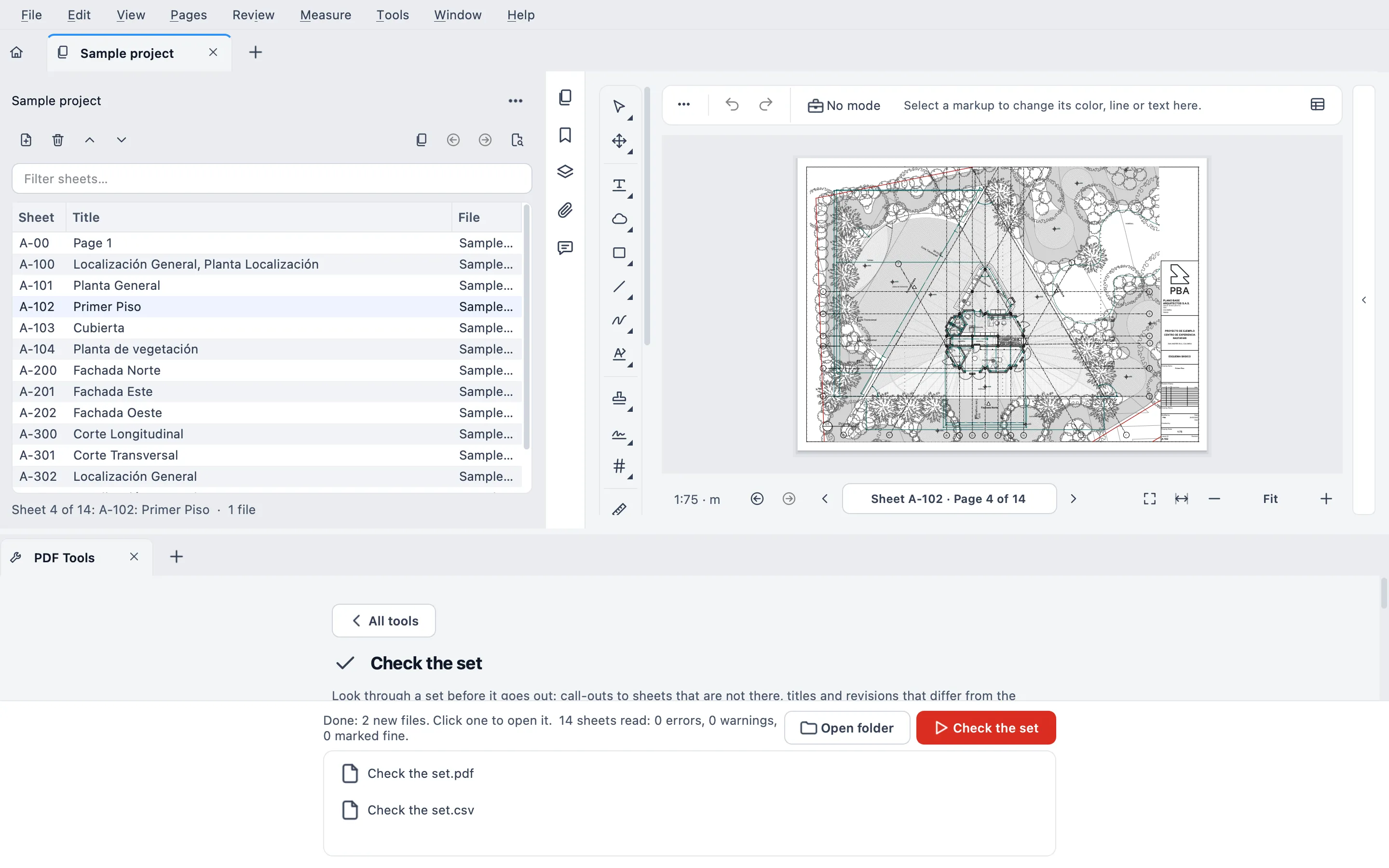 Check the set on the 14 sheets of a sample project: 0 errors, 0 warnings, and the report as PDF and CSV.
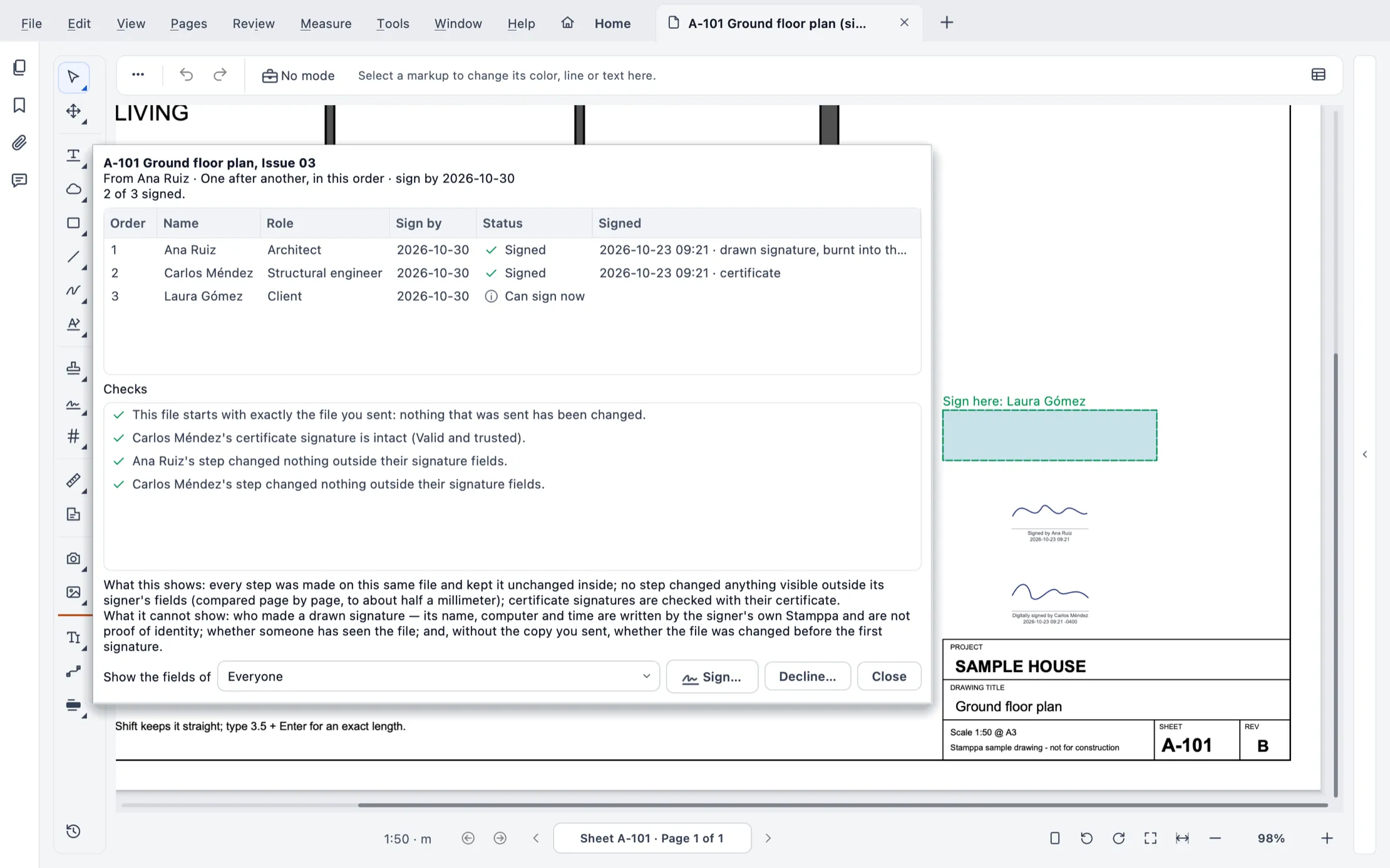 The status of a request half done, with what it shows and what it can’t show.
The full steps for every tool are in the Help.
If something in this guide doesn’t line up with how your team controls documents, email us.
Sources
General information, not legal advice. Clause numbers refer to the editions named; owners often modify standard forms, and outside the US local law governs, so check the contract you signed. All sources consulted 2026-10-23.
- AIA A201-2017, General Conditions of the Contract for Construction, §1.1.1, §1.1.2, §1.2.1, §3.12.1 to §3.12.4, §3.12.8, §4.2.14, §7.4. Read in a public owner’s copy (University of Wisconsin System, General Conditions dated 2018-12-26, which marks its own changes): https://www.wisconsin.edu/procurement/download/A201-2017---181226.pdf
- AIA Contract Documents, “What Is a Submittal in Construction? Common Types and Why They Matter” (undated): https://learn.aiacontracts.com/articles/what-is-a-submittal-in-construction/
- Kevin O’Beirne, PE, “Shop Drawings and Submittals, Part 1: Definition, Purpose and Necessity,” EJCDC (2020-2021), quoting AIA A201-2017 §3.12 and EJCDC C-700-2018 ¶1.01.A.41: https://ejcdc.org/shop-drawings-and-submittalspart-1-definition-purpose-and-necessityby-kevin-obeirne-pe/
- Marc A. Sanchez, Frantz Ward LLP, “Submittals, Shop Drawings and RFIs, Oh My!”, NASBP (2023-05-19): https://www.nasbp.org/post/submittals-shop-drawings-and-rfis-oh-my/
- Christopher S. Drewry, “Interpretation: Clause Order,” Modern Contractor Solutions (2022-04-20), on AIA’s position and ConsensusDocs 200 §14.2: https://www.iadclaw.org/assets/1/6/Interpretation_Clause_Order_-_Chris_Drewry_-_Modern_Contractor_Solutions_-_4.20.2022.pdf
- Edward Garber, “Construction Contracts and Your ‘Order of Precedence’ Clause,” Florida Construction Legal Updates (2014-09-28, updated 2024-11-08): https://floridaconstructionlegalupdates.com/?p=2187
- FAR 52.236-21, Specifications and Drawings for Construction: https://www.acquisition.gov/far/52.236-21
- Arushi Jain and Arihant Jain, Goswami & Nigam LLP, “Structure of a FIDIC Contract,” Legal500 (2025-11-20), on the hierarchy of documents in FIDIC: https://www.legal500.com/developments/thought-leadership/structure-of-a-fidic-contract/
Questions
Are shop drawings contract documents?
Under the common US standard forms, no. AIA A201-2017 §3.12.4 says shop drawings, product data, samples and similar submittals are not Contract Documents, and EJCDC C-700 says the same of submittals, approved or not. But A201 also requires the work to follow approved submittals, so they do carry weight. Outside the US, your contract and local law govern: check them.
Are RFIs part of the contract?
Usually not by themselves. An RFI (request for information) is a question about the Contract Documents. If the answer changes the scope, price or time, it should be formalized as a modification: a change order, a contract amendment or whatever other instrument your contract provides. Some contracts do make RFI responses part of the contract, so read yours.
What is the difference between an RFI and a submittal?
A submittal is the contractor showing how it will meet the contract: shop drawings, product data, samples. An RFI is a question: something in the drawings or specs is unclear, missing or in conflict, and the contractor asks the designer to clarify it.
When drawings and specifications conflict, which one governs?
It depends on the contract. AIA A201 treats the documents as complementary and has no order of precedence by default; ConsensusDocs 200 has one; US federal contracts say the specifications govern; FIDIC contracts have their own hierarchy. Many owners add a precedence clause of their own: look for it.
Is this legal advice?
No. It's general information from a construction project manager. Contracts differ by form, by owner and by country. For a real claim, read your contract and talk to your lawyer.